Archive for September 2026
Wednesday, September 30, 2026
John Gruber:
“Update My Phone & Apps: Guide” is an iOS app from developer Tair Olzhasev. By default, the only thing it does for free is give you a “Check for Updates” button that launches the system Settings app. It doesn’t even take you to the General → Software Update screen. It just takes you to the root level of Settings.
Everything else it purports to do requires a $15/week subscription. That’s $780 per year.
Jeff Johnson:
You can tell it's a scam without even downloading the app, because it has no website and hosts the privacy policy on sites.google.com, a dead giveaway.
The 3-day trial with auto-renewing subscription is also a huge red flag. By no coincidence, 3 days is the minimum subscription trial length allowed by Apple. All the scams use it.
Christian Tietze:
Being part of a team with a successful App Store app opens my eyes for how weird the app store is.
This is not the Bear Notes the Shiny Frog team is working on :)
This one seems to not be a scam—and there’s only a one-time $3.99 IAP—but it sure is confusing.
Previously:
App Store App Store Scams App Subscriptions Bear iOS iOS 27
Dave DeLong:
I can improve the process of removing backwards compatibility shims by using conditional compilation to remind me when they’re no longer necessary!
[…]
This does mean that the first time we change our deployment target, we’ll get a bunch of compilation errors. But given the nature of how Backport is implemented, this should be a relatively quick process to move past. (And of course, you’re welcome to use #warning instead of #error).
Shaps Benkau:
SwiftUIBackports mirrors Apple’s SwiftUI API names, shapes, behavior, documentation, and availability where practical. This keeps app code familiar today, and easy to migrate away from once your deployment target reaches the native API.
Backports are discovered through .backport, the Backport namespace, or backport-prefixed environment values.
Majid Jabrayilov:
Usually, we don’t see many new APIs in intermediate releases like 27.1, but this time is different. Apple introduced several new iPhone Duo-related APIs in the 27.1 release. This week, we will learn how to use all of these new APIs without bumping your project’s target version.
[…]
Here we introduced the toolbarVerticalBehavior function on the Backport type that handles availability checks and calls the new APIs if available or returns a plain view when it is not available.
Previously:
iOS iOS 27 iPhone Duo Mac macOS 27 Golden Gate Open Source Programming Swift Programming Language SwiftUI
Joe Rossignol:
Apple recently considered laying off about 5,000 support employees [to replace them with AI], but it has put those plans on hold indefinitely, according to Bloomberg’s Mark Gurman.
[…]
Last month, we reported that customers who call the AppleCare phone number (1-800-APL-CARE) from the U.S. or Canada are now routed to an AI-powered support assistant.
Joe Rossignol:
The assistant can answer questions and troubleshoot issues with your Apple products, with it able to provide detailed step-by-step instructions. The assistant can still transfer you to a human advisor if it cannot answer a specific question, or if you ask to speak to a real person.
[…]
Apple has also been testing a new AI-powered chatbot in its Apple Support app, through a new “Ask” tab that has rolled out to a limited number of users.
I actually kind of like support chatbots in that they can be very fast for handling basic issues. As to the layoffs, it’s not clear to me whether this is Ternus reversing a Cook idea or something else.
The main problem I have (and I hear others having) with Apple’s support is that for more difficult problems you reach a ceiling where nobody can help you and it seems like nobody cares. Anything that can’t be addressed via a hardware swap is like filing a very time consuming Radar that goes into a black hole with no follow-up. Some software issues seem fixable in that they are more like server database entries than bugs. A sufficiently high level support person should be able to go in and edit the entry. But it seems like this only happens when there’s a major story in the press.
Scott:
Apple could probably lay off 5000 AppleCare workers if Apple programmers spent more time working on their operating systems and default apps for another 6 months before releasing them to the public.
Previously:
Apple AppleCare Customer Support iOS Layoffs Mac
Lex Friedman (Mastodon):
Though allegedly focused on benefiting users (through better safety and compliance), App Store review in its current form mostly frustrates the people it claims to protect.
[…]
Those are all scammy apps that got through. Apple’s review capacity isn’t infinite. Every hour a reviewer spends poring over a bug-fix update to an app that’s been in the store for years is an hour not spent catching the fake LastPass app.
[…]
And the review process is fundamentally flawed anyway: It works best with developers who are trying to do the right thing. Plenty of apps pull their content, features, and behavior from servers their developers control. Feature flags, remote configuration, and web views mean an app can behave differently the day after approval than it did the day of vetting. A determined bad actor can get past App Review. An honest developer just waits in a slow, nebulous line.
[…]
At WWDC 2020, the company announced that bug fixes for apps already in the App Store would no longer be held up over guideline violations (except for legal issues); developers could address those problems in a subsequent update instead. That’s a good policy! Based on developer complaints I’ve seen, Apple hasn’t honored that agreement.
He suggests a Trusted Developer Program.
Previously:
App Review App Store App Store Scams iOS iOS 27 Mac Mac App Store macOS 27 Golden Gate
Tuesday, September 29, 2026
Blake Brittain (PDF, patent 1, patent 2, Hacker News, 9To5Mac):
A US jury ruled that Apple owes San Diego-based Taction more than $5.7 billion for using its patented technology to power the haptic feedback in iPhones and Apple Watches. Apple said it would appeal the country’s largest such verdict to date.
[…]
Apple denied the allegations and said the patents were invalid.
neuropsychguy:
Taction Technologies has real products (used in various headphones) -- in case anyone is wondering about whether the company is only a patent troll.
[…]
What’s complicated about this case is that Apple developed the Taptic Engine before Taction filed its original patent application. Apple’s original Taptic Engine was different from what Taction later patented. However, Apple subsequently redesigned the Taptic Engine, and those later designs incorporated a combination of suspensions and ferrofluid damping that a jury (in California -- this isn’t in Texas) has now found fall within Taction’s patent claims.
Malcolm Owen:
In effect, the jury says that Taction has proven Apple has infringed, but not that Apple did so knowingly.
[…]
Apple was accused of buying and reverse-engineering two Kannon headsets that used the technology.
The $5.7 billion seems so high compared with the $634 million in the Masimo case where Apple seemed a lot more guilty.
Previously:
Apple Haptics iOS iPhone Lawsuit Legal Patents
Nicolas Seriot:
// "<a>" in UTF-16 LE + a single dangling byte
const UInt8 bytes[] = {'<', 0, 'a', 0, '>', 0, 'X'};
[…]
The whole bug is a confusion between bytes left versus UTF-16 characters left. The result is repeated buffer doubling until allocation fails, and a local process crash if the exception is uncaught.
Bug Core Foundation Mac macOS 27 Golden Gate Programming Unicode XML
macOS 26.7.1 (security,
no enterprise,
no developer,
full installer):
This update provides bug fixes and security updates for your Mac.
macOS 15.8.1 (security,
no enterprise,
no developer,
full installer):
This update provides bug fixes and security updates for your Mac.
Though not called out in the release notes, macOS 15.8.1 fixes the regression with RAW files.
For some reason, Apple removed the customary “is recommended for all users” from the release notes.
Previously:
Mac macOS 15 Sequoia macOS Release macOS Tahoe 26 Raw Image Format
Juli Clover (iOS/iPadOS release notes,
no security,
iOS/iPadOS enterprise,
no developer):
According to Apple’s release notes, iOS 27.0.1 addresses an issue that could cause Face ID not to work properly on the iPhone 18 Pro.
Some iPhone 18 Pro users have complained that authentication can fail to work for things like unlocking a locked app. In some cases, the device freezes up and then reboots. Other users have seen a “ Face ID is Not Available” message when attempting Face ID setup, and others have experienced issues with the Require Attention for Face ID setting.
Juli Clover:
Apple’s security support pages say there was a CoreGraphics out-of-bounds write issue that could be exploited with a maliciously crafted file, allowing for arbitrary code execution. […] Apple says the flaw was exploited in an “extremely sophisticated attack” on targeted individuals running older versions of iOS.
Previously:
Update (2026-10-15): ANCIL:
Absolutely shocking to me how this is always my experience with Apple’s search functionalities
Face ID iOS iOS 27 iOS Release iPadOS iPadOS 27 iPadOS Release iPhone 18 Pro
Monday, September 28, 2026
Jeff Johnson:
The Muse from Meta app description says at the beginning, “Muse is your personal AI agent that gets things done, always working on what matters to you.” The Muse AI app description says at the beginning, “Muse is your professional AI agent that gets work done, always helping move important tasks forward.” Near the end, the Muse from Meta app description has the heading “SMART, BUT STILL LEARNING.” Near the end, the Muse AI app description has the heading “POWERFUL, BUT STILL LEARNING.”
In other words, Muse AI is a blatant copy of Muse from Meta, the latter of which is currently the #1 iOS App Store download in the United States. I don’t know where Muse AI ranks in the iOS App Store, but I do know that it’s currently the #20 Mac App Store download in the US.
And the real Muse app isn’t in the Mac App Store, so it has no competition.
By the way, I’d also like to draw your attention to the #11 Mac App Store download, as shown in my screenshot above: App for Instagram º. Yes, the app name includes the º character, a phenomenon I’ve written about before.
[…]
The top search result for “VLC” in the Mac App Store is Video Player for VLC, developed by muhammad faisal jabbar, not by VideoLAN. VLC for Mac is distributed outside the Mac App Store. You may notice a similarity between the icon of the official VLC app in the iOS App Store and the icon of Video Player for VLC.
Previously:
Update (2026-09-29): John Gruber:
“Muse AI” is now gone, but “App for Instagram °” and “Video Player for VLC” are both still there.
Jeff Johnson:
The Reddit commenter claims that the scams receiving public attention are “the tip of the iceberg from a limited, outsider perspective,” which is an accurate metaphor, yet the commenter and I have dramatically different interpretations of that metaphor. For the commenter, the iceberg represents the vast number of scams allegedly caught by Apple app review but not seen by the public; for me, the iceberg represents the vast number of scams not caught by Apple app review and not seen by the public either. To put the argument another way, the commenter appears to assume that the majority of scams in the App Store receive widespread public attention, in blog posts such as mine or in the news media, so the relatively small number of stories we hear is indicative of a relatively small number of scams in the App Store, whereas my own impression is that the vast majority of scams in the App Store do not receive widespread public attention. Scam hunting is not my job, merely an occasional hobby. It’s so easy for me to find scams, they practically fall into my lap whenever I look. I could spend all day every day finding and listing App Store scams, if I were sufficiently motivated (I’m not). You would think that someone working for Apple would be sufficiently motivated, by a paycheck, to spend all day every day finding and listing and most importantly removing App Store scams, but I’ve seen no evidence of it.
I think Johnson is right about the iceberg. Most of the scams that get publicity are at the top of the charts. One view is that all the scam apps that Apple misses end up being popular. What are the odds? The other is that we notice them because they’re popular and that there’s also a vast number of deceitful or dangerous apps lurking.
Dan Moren:
Speaking of App Store shortcomings, I really hate when I want to see how much an app costs and I get this impenetrable list of IAP options. It’s impossible to know without installing and opening the app what the payments options are. Be great if Apple helped make this clearer—which options are actually available? What are their various plans (monthly, weekly, etc.)?
App Store App Store Scams App Subscriptions Artificial Intelligence In-App Purchase Instagram iOS iOS 27 iOS App Mac Mac App Mac App Store macOS 27 Golden Gate Muse VLC
Zac Hall:
The new Meta AI desktop app is version 1.0 beta at launch and weighs just 16MB once installed.
Based on initial inspection, it runs natively on Apple silicon Macs with macOS 15 or later, using an AppKit and SwiftUI shell with WebKit for richer chat content. In other words, this is not an Electron app or a repackaged iPad release.
It includes Mac-specific hooks, making the desktop experience more robust than the Meta AI mobile app.
Karissa Bell:
The Mac app brings a few new capabilities compared with Meta AI’s existing website and mobile app. For example, it enables users to share part of their screen so the assistant can “see” what they’re working on and provide more specific answers.
Juli Clover:
The app is primarily meant for businesses and content creators, and it integrates with Facebook and Instagram. It incorporates analytics tools so it can answer questions about performance, and connects with Google Workspace for document access. Google Workspace access requires a professional Facebook or Instagram account.
John Gruber:
Passes the Settings window sniff test too — it actually has a Settings window.
[…]
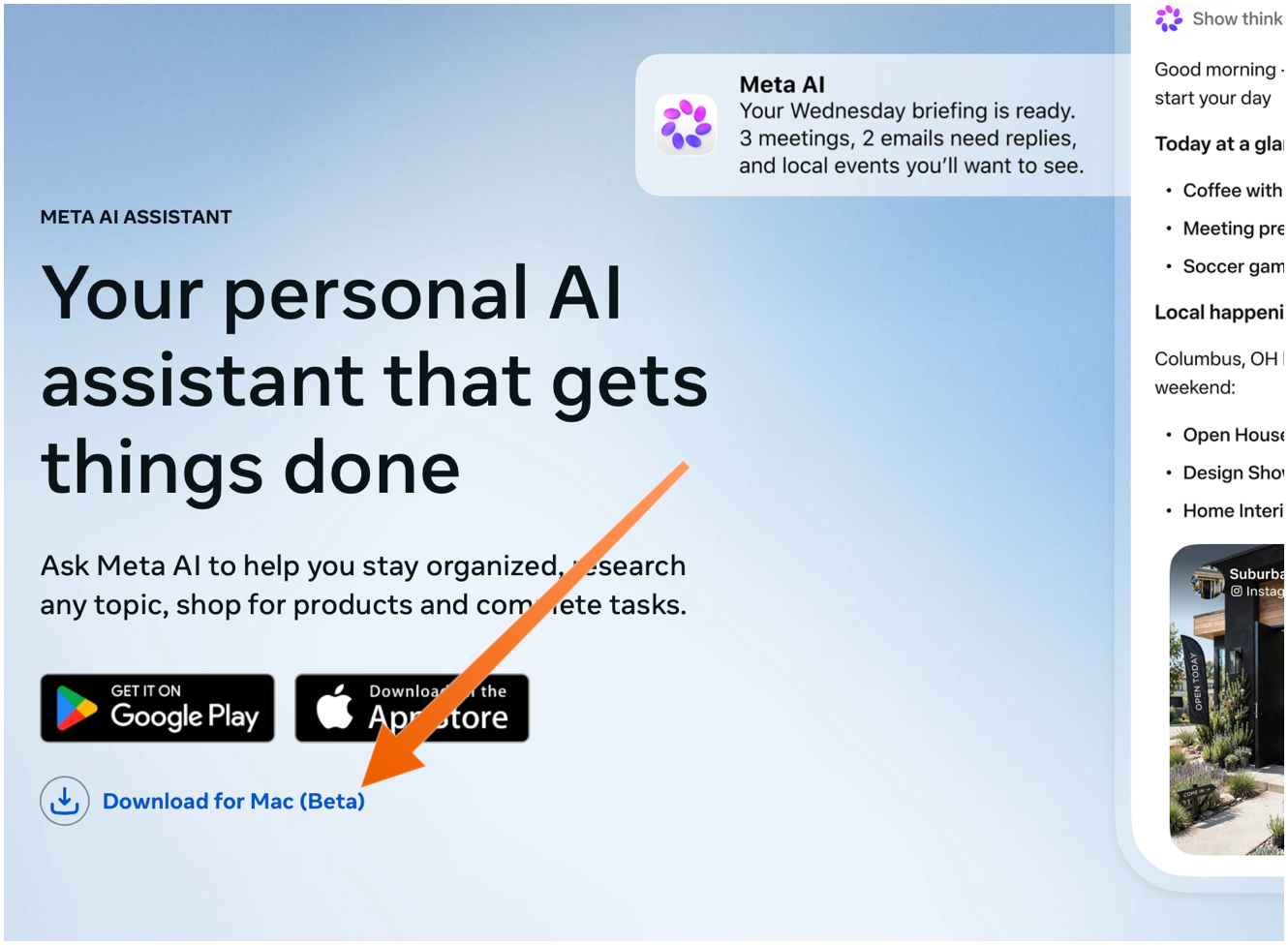
The Mac app is not available in the App Store. You need to download it directly from Meta’s web page, using the “Download for Mac (Beta)” link. The ChatGPT and Claude Mac apps aren’t in the Mac App Store either — they do too many things outside the App Store’s mandatory sandbox (and probably use APIs require that special entitlements in the App Store too).
Sarah Perez:
Meta’s new AI assistant app, Muse, is now available on Mac.
On the Mac, Muse can interact with your files, messages, calendar, notes, and mail, all within their native applications.
Terrence O’Brien:
Jason Aten, a contributing editor at Inc Magazine, posted on Threads screenshots of an interaction he had with Muse in which the assistant asks him some questions about a conversation he was having in Messages.
The problem is that Aten says he didn’t give Muse access to his messages. When asked how it knew about the contents of his messages, Muse replied, “I saw the notification previews, not your message history. I haven’t been reading your texts.” Aten continued to push, asking how Muse was receiving message previews, it didn’t have a good answer.
M.G. Siegler:
The number one response I’ve gotten to my thoughts on Meta’s Muse personal assistant agent is some variation of “I will never trust Meta with my data.” But the number two response is arguably more interesting (and related): “Why didn’t Google build this?”
Pieter Arntz:
Mac security researcher Patrick Wardle says it’s trivial to turn Muse into “the ultimate backdoor.”
[…]
According to Ars Technica, Wardle found that a locally running application or terminal command could alter an undocumented Muse configuration setting that controls the server used for dictation transcription. By redirecting dictation traffic to an attacker-controlled server, an attacker could capture voice prompts and obtain the authentication token for the victim’s Muse account.
John Gruber:
Four days later and Muse still holds the #1 spot in the U.S. iOS App Store.
See also: Joanna Stern.
Alexandr Wang (Watts Martin, John Gruber):
Here’s the best part: we have no idea what people will want. The world until now has been shaped by the small number of fanatics who have somehow found a way to make their wants real. But we’ve never seen humanity with every single person’s agency fully switched on. Eight billion people who just need to write their dream down in order to get started making it happen.
So we built Muse to help people build the world they want.
Damien P. Williams:
So uhhhhhh… Apparently meta’s muse “AI” is just straight up doxxing people to strangers on FB marketplace???
Via Mike Masnick:
Almost all of Meta’s PR about Muse was about how careful they had been to set it up not to do things like this, how they delayed the launch by months to carefully design it so it could be trusted. And then…
Previously:
Artificial Intelligence Facebook Instagram iOS iOS 27 iOS App Mac Mac App Mac App Store macOS 27 Golden Gate Meta Meta AI Muse Privacy
SpaceXAI (MacRumors):
Grok Bot is in beta and available today for SuperGrok, SuperGrok Plus, and SuperGrok Heavy; Cursor Pro, Pro+, and Ultra; and Cursor Teams Standard and Premium subscribers on desktop and iOS. Grok Bot comes with its own usage, separate from your Grok and Cursor plans, so anything you hand off to a Bot won’t count against your existing usage. Download the app, create your first teammate, and start handing off work.
[…]
Inside SpaceXAI, that already looks like real, multi-step coordinated jobs being handled: a sales Bot updating the CRM with call transcript notes and drafting follow-ups, an ops Bot seating new hires and processing invoices received in Gmail, and an engineering Bot reproducing a bug in the product UI, filing the ticket, and handing the fix off to a debugging Bot.
[…]
People inside SpaceXAI often run multiple Bots in parallel, with one to manage the others. A chief of staff sits on top, with a specialist for each lane: inbox management, expenses, recruiting, bug fixes, or operations. Instead of multiple agents you have to manage, Grok Bot gives you a small team that can work in parallel so you’re not the middleman.
Artificial Analysis (Hacker News):
Grok 4.6 gains 5 points over Grok 4.5 on the Intelligence Index just over one month after its release, or +23 points compared to Grok 4.3. This brings SpaceXAI back to the intelligence frontier alongside OpenAI, behind only Anthropic.
Kun Chen:
i’m 80% sure Grok Bot was originally built by the Cursor product team, and got rebranded after the acquisition
John Bai:
Believe it or not, the original Grok Bot started as an exploration of what an ambient computer assistant might look like.
I wanted to give an expressive face to a helper that could also use your computer. The character evolved, but that sense of presence stuck around.
Dare Obasanjo:
A real dilemma. People whose opinions on tech topics I take seriously are saying good things about Grok Bot.
It sounds like it nailed OpenClaw/Hermes for the masses but as a point of principle I don’t use MechaHitler. I would love an overview of what it gets right that everyone else missed.
I don’t trust xAI (or Meta) with my data, but it doesn’t seem like Siri AI can do all that much. So far, I’ve been too busy to do much with agents, even on a test Mac. But I don’t think agents are going away, so there’s a tension here that will need to be resolved eventually. My guess is that most people will throw caution to the wind in order to get results. Maybe Google will have something more trustworthy and powerful by then.
Previously:
Artificial Intelligence Grok Mac Mac App macOS 27 Golden Gate xAI
Juli Clover:
OpenClaw for iOS can be used alongside an existing gateway as a secure node for chat, voice approvals, sharing, and device-aware automation.
The iOS app replaces iPhone and iPad workarounds that involved using Telegram or WhatsApp for on-the-go access.
Hannes Rudolph (Hacker News):
This update touches every part of OpenClaw, including installation, messaging, memory, skills, models, automations, the browser and native apps, plugins, security, and a very long tail of fixes. We started by simplifying installation and rebuilding the browser app as a first-class experience, but doing that properly meant carrying the cleanup through the rest of OpenClaw until it became OpenClaw 2.0.
Previously:
Artificial Intelligence iOS iOS 27 iOS App Mac Mac App macOS 27 Golden Gate Open Source OpenClaw (Moltbot/Clawdbot)
Friday, September 25, 2026
Rosyna Keller:
FruitMenu Redux revives a utility (FruitMenu) that brings lost Mac OS Classic features to Mac OS X. Specifically, it restores the fully customizable Apple menu.
It’s no longer a haxie that works by patching the operating system. Now, it’s a regular app that hooks into other apps (e.g. to switch to a particular window) using the accessibility APIs.
The first step was to implement every FruitMenu feature that’s still possible in the current macOS security environment. That immediately ruled out features requiring patching menus (sigh, I really miss patching menus) and features that require privileges now gated behind restricted entitlements. I also added support for viewing and executing Shortcuts.
[…]
Additionally, you can set a hotkey to any item you add to FruitMenu Redux!
[…]
Because SwiftUI doesn’t support dynamic menus, I had to rewrite all the menu code to use AppKit’s NSStatusItem and NSMenu as NSMenu is now a first-class citizen on macOS and fully supports dynamic submenu building. This means that FMR doesn’t even try to build the contents of a folder under you actually attempt to show the contents of the folder. Not only is this significantly faster, but it also uses significantly less memory.
FruitMenu is now available (Mastodon):
A built-in visual editor displays your menu on the left and a library of over 30 item types on the right. You drag items from one to the other (almost like Font/DA Mover, the best UX ever created). The library includes files and folders, submenus, Running Applications (and you can enable an option to show open windows and tabs), Mounted Volumes, Recent Items, Force Quit, Sleep, Restart, Shut Down, Shortcuts, Software Update, separators, System Settings panes, and more!
Anything you put in the FruitMenu Redux Items folder in your Library also appears in Files, folders, and aliases.
$10 (with $7 intro price), not in the Mac App Store because of accessibility.
Rosyna Keller:
OMG, Core Transferable, why do I have to declare a public UTI in my info.plist for internally dragging from one list in my app to another list in my app?! It’ll never be decoded by another app!
This was the fix to a bug I reported. With the new SwiftUI drag API, you apparently have to declare private internal drag types in your plist (on Tahoe, but not on Golden Gate).
Xounds, which plays sounds in response to user interface actions, is also back. Unlike FruitMenu, this one never appealed to me—I actually prefer to have the audio muted most of the time. I do find it interesting that it supports the old sound set files from Mac OS 8. Apple dropped the APIs for playing these way back during the 64-bit transition, but Xounds knows how to extract and play the audio.
Previously:
64-Bit Accessibility Apple Developer Account FruitMenu Haxie Keyboard Shortcuts Mac Mac App Mac OS 8 macOS 27 Golden Gate macOS Tahoe 26 Pasteboard Software Rewrite SwiftUI System Preferences Xounds
I haven’t seen it documented, but it looks like Flickr went back to shipping its rewrite of the app. It’s better than before but loses the scroll position when going from an individual photo back to the grid.
Previously:
Flickr iOS iOS 27 iOS App Software Rewrite
Hartley Charlton:
A 47-minute video of the Q&A session from Apple’s 2010 iPhone 4 “antennagate” press conference has surfaced on YouTube, showing Steve Jobs, Tim Cook, and Bob Mansfield answering reporters’ questions.
[…]
Jobs used his prepared presentation to announce free cases for eligible customers and a 30-day return option. Apple later posted video of that presentation, but left out the Q&A, which was documented at the time through written reports and photographs.
John Gruber:
The Q&A was on the record (which is the entire point of a Q&A), and was reported widely, but I don’t think there’s ever been video of it. Here’s a report by Jeff Carlson at TidBITS, published the day the event was held, which states, “The video omits a long and interesting Q&A at the end.”
Then, yesterday, video of the Q&A hit YouTube. I don’t know what truck it fell off the back of, why it took 16 years, or how it came into the hands of “Sir Mix-A-Lot Rare Music”, but I’m sure glad it did. There are parts of this Q&A that I remembered, and parts I didn’t. Carlson was exactly right: it was long and it was interesting.
My main takeaway is still that there were two stories here, but most of the media missed one of them, and Apple was happy to focus on the other.
The first story was that holding iPhone 4 in the wrong way would reduce the signal strength. Apple pointed out that other phones had the same problem, to varying degrees, and offered cases as a solution.
The second was that, even with a case, iPhone 4 had worse reception than previous iPhones. I saw this directly myself: testing my iPhone 3GS and my father’s iPhone 4 in some areas that had poor signal, and finding that one worked reliably and the other was completely unusable. Apple examined my father’s iPhone 4 and assured us it wasn’t a lemon, so there was no choice but to return it. AnandTech did some more precise testing and published some graphs that were consistent with what we saw. I think it was the only bad iPhone Apple made.
In the Q&A, the first question was about Jobs’s health. The second was about whether Apple was going to make any changes to the antenna. Jobs responded that the iPhone 4 antenna was better in almost every way than previous designs. But Apple did end up redesigning the antenna with the iPhone 4s, and it worked just fine in my same test areas. It’s possible that the cell towers had changed in the interim, but the 4s worked well for me everywhere that it could be expected to and ended up being one of my favorites.
Nick Heer:
Sam Henri Gold decided to pick apart the changes between iOS 4.0 and iOS 4.0.1, which changed the number of bars shown in moderate-to-low reception areas[…]
Previously:
Antenna History iOS iOS 4 iPhone iPhone 4 iPhone 4S Marketing Steve Jobs The Media Tim Cook
Jason Snell:
Apple has added some light menu-bar management, specifically to deal with items that overflow the notch on some MacBook models. I’m glad that it’s taken this tentative step, though I wish it were more—it’s okay, Apple, you can sherlock all those menu-bar-management utilities out there—and of course, it should’ve happened back when the notch first appeared five years ago.
Previously:
Mac MacBook MacBook Pro macOS 27 Golden Gate Menu Bar
Thursday, September 24, 2026
I remain unhappy with Apple’s passkey backup story. There’s little documentation about this, but from what I can tell:
There are no automatic versioned backups. (Syncing is not backup because it doesn’t protect you against human error, bugs, or attacks.)
Even if you have a Time Machine backup, it’s not possible to restore it to the same Mac without logging into iCloud. This could be a problem if your account is locked or compromised.
Restoring it to a different Mac is impossible because the decryption key is stored in the other Mac’s Secure Enclave. Apple is protecting you from accessing your own backup, even though the keychain is already an encrypted file, protected by the password that you set. (And the Time Machine or clone drive that it’s stored on is probably encrypted, too.)
The Passwords app can now export passkeys, but you cannot create an export file that you can import back into Passwords on another Mac. You can only export to a third-party password manager that’s installed on the same Mac (which may require a working Apple account). Even then, this does not include passkeys for Apple services; they don’t show up in the Passwords app. There are also some other restrictions around shared items and Sign In with Apple.
The above is last year’s news, but I don’t think I had written it all in one place before. The new bad news is that, as of macOS 26.4, these problems now affect regular passwords, not just passkeys. (You do have more flexibility to export passwords, though.)
Rich Trouton (Hacker News):
Historically, you could copy the login keychain file from one Mac to another and be able to open it on the destination Mac by providing the password to that keychain. As of macOS Tahoe, this does not appear to work for Macs which use Secure Enclave.
[…]
From that, it appears that unlocking the login keychain requires more than the password because the keys it unlocks are tied to the Secure Enclave of the Mac where the keychain was created. With the decryption keys stored in the source Mac’s Secure Enclave, manually copying the keychain to another Mac and then unlocking it won’t work. The password you have for the keychain may be correct, but the actual keys needed to decrypt its contents won’t be available on the destination Mac.
Jeff Johnson:
According to Apple, all Apple silicon Macs, as well as some Intel Mac models, have the secure enclave processor, so the issue affects millions of Mac users.
[…]
If anything happens to your Mac, if it’s stolen or becomes inoperable, your login keychain is also lost, unrecoverable, even if you have a copy of the login keychain file! This is a stunning development that has left me bewildered and irate. WTF was Apple thinking? To my knowledge, Apple did not even publicize the change in Tahoe.
[…]
How does Migration Assistant handle the situation on Tahoe? I don’t know. I would guess that since Migration Assistant still has access to the old Mac, it simply decrypts the old login keychain and copies the login keychain entries to the new login keychain on the new Mac, rather than transferring the keychain files directly.
[…]
I recommend that you open your login keychain with the Keychain Access app (now located in /System/Library/CoreServices/Applications) and check what’s in there, the data that you’re in danger of losing. Whether you realize or it not, many apps use the login keychain. For example, Google Chrome and other Chromium browsers store passwords in the login keychain. MailMate stores email account passwords in the login keychain. The open source RSS reader Vienna stores website passwords in the login keychain. The Zoom app also uses the login keychain. My Developer ID code signing certificate is stored in the login keychain; if I’m not mistaken, I believe that Apple’s own Xcode put it there. And of course, any items that you’ve manually added to the login keychain would be lost if the keychain file could not be unlocked.
Howard Oakley:
I have confirmed that a login.keychain-db copied from my Mac mini M4 Pro to a virtual machine (VM) running macOS Tahoe 26.6.2 cannot reveal any of its secrets to the Keychain Access app on the VM, as it refuses to accept the valid password. Not only that, but Keychain Access running in a VM cannot access the login.keychain-db keychain copied from another Tahoe VM, although neither has been anywhere near a Secure Enclave.
If you intend migrating manually between Macs, don’t waste time trying to copy across the login keychain, as it’s not likely to work, and its secrets will remain.
[…]
I performed test migrations between VMs, and demonstrated that Migration Assistant does copy the contents of the login keychain successfully to the destination Mac.
I think this only happens if you migrate over a network, with the old Mac acting as a server. I prefer to connect the old Mac using Target Disk Mode, but in that case Migration Assistant wouldn’t be running on the old Mac so the special sauce wouldn’t work. Likewise if I were trying to do the migration using a third-party cloning app.
Howard Oakley:
- Loss of physical access to a Mac running 26.4 or later prevents access to any items stored in its login keychain.
- Hardware failure requiring logic board replacement may have the same effect on restoring the contents of its login keychain (assuming that migration from a backup doesn’t work).
- Restoring an Apple silicon Mac in DFU mode may be similar in effect.
What I don’t know yet is whether you can unlock and access any login keychain written by macOS 26.4 or later and migrated from a backup accessed directly from a different Mac. This would occur in one-Mac migration, when Migration Assistant uses a backup of a Mac not acting as a Migration server. This would only be possible if the backup also stored the additional secret required to access the login keychain, which seems unlikely.
[…]
Apple’s documentation for macOS Tahoe and the copying of keychains makes no mention of this change, in spite of its serious consequences and the change being made almost six months ago.
It there states “If you didn’t use Setup Assistant, the best way to copy your keychains to a new computer is to export and then import them using Keychain Access”. However, Keychain Access can only export some keychain items including certificates and keys, but not passwords. And to do that, the Mac must be able to unlock and access those items in the source keychain. Thus, Apple’s recommendations are out of date and will now fail.
rsUSA0 (via Jeff Johnson):
When upgrading to macos 27 Golden Gate, I erased my system through recovery to do a clean install. I planned to manually migrate data back to the computer from an external drive clone of Macintosh HD and a Time Machine backup. This has worked well in the past and eliminated system bloat.
When I manually migrated my login keychain, it opened, showed entries, but it wouldn’t accept my password to reveal any actual passwords. The window shakes like I’m using the wrong password. I’m 100% sure I’m using the correct password. I also tried every password I’ve ever used and I’m certain it’s not a password issue.
Perhaps even restoring to the same Mac failed because the clean install wiped the key stored in the Secure Enclave. [Update (2026-10-01): See update below.]
Jeff Johnson:
Some people who read my previous blog post misunderstood the issue, because they didn’t know that the macOS login keychain is distinct from iCloud Keychain.
[…]
In the Keychain Access app, you can see two separate default keychains, one of which is the login keychain. The other default keychain is named “iCloud” if you’ve enabled iCloud Keychain, “Local Items” if not. There’s actually a longstanding issue with this keychain analogous to the newer issue with the login keychain.
[…]
Mac users like myself who forsake iCloud Keychain face the prospect of no disaster recovery for the Local Items keychain. My habit is to manually create a new password item in the login keychain and only then supply the credentials to an app, for example, Safari AutoFill. Ironically, the login keychain change brought by macOS 26.4 sabotages my password backup procedure[…]
jen1x:
Today, I got my new Mac mini M6. When I started setting up the new machine, it asked me to update to macOS 27, so I followed the instructions.
[…]
After signing in to iCloud, it asked me to enter the passcode of one of my Apple devices. I entered the correct passcode and even tried the passcodes for all of my devices, but I keep getting the same message:
Verification Failed
There was an error verifying the passcode of your iPhone
I don’t like having to rely on iCloud.
Previously:
Update (2026-10-01): TN3137 has been updated for macOS 26.4:
Historically each file-based keychain was a standalone file. You could, for example, copy a keychain file from one Mac to another and still use it, as long as you knew the keychain password.
In macOS 26.4 and later that’s no longer the case. A keychain file might reference a protected entropy file. To unlock such a keychain you need both the keychain password and the protected entropy file.
[…]
These protected entropy files are stored in /var/db/SystemKeys. If you’re creating a backup product, make sure to back up that directory. Without it, the keychain files that you back up might be useless.
[…]
The /var/db/SystemKeys directory is not directly accessible, even when running as root, so you can’t copy a protected entropy file in the normal way. To access it, disable System Integrity Protection (SIP).
First things first: I don’t think turning off SIP every time you make a backup is a real solution. And I don’t understand what problem Apple is really trying to solve with protecting the entropy file; it seems like they don’t trust their own encryption. Lastly, it’s not explicitly stated, but I don’t think copying the entropy file helps with backing up passkeys.
That aside, I find the details both illuminating and confusing. This probably explains the rsUSA0 case above, where restoring to the same Mac didn’t work. The key wasn’t stored in the Secure Enclave but rather in the entropy file on the SSD, which had been wiped. This also suggests a simpler way for Migration Assistant to work; it could have special access to copy the entropy file without having to actually open the keychain.
It also seems to be saying that, if you turn off SIP and copy the entropy file, you can then access your keychain backup from another Mac. But I’m not sure how to square that with Apple’s keychain documentation:
Keychain items are encrypted using two different AES-256-GCM keys: a table key (metadata) and a per-row key (secret key). Keychain metadata (all attributes other than kSecValue) is encrypted with the metadata key to speed searches, and the secret value (kSecValueData) is encrypted with the secret key. The metadata key is protected by the Secure Enclave but is cached in the Application Processor to allow fast queries of the keychain. The secret key always requires a round trip through the Secure Enclave.
How can copying the entropy file work if the Secure Enclave is required? My guess is that the entropy file itself is encrypted (NSFileProtection) using the Secure Enclave. So accessing it on the original Mac does require going through the Secure Enclave. But when you make a backup, the entropy file gets decrypted. Maybe accessing the keychain on the second Mac causes file protection to be re-applied to the contents of /var/db/SystemKeys, so then it becomes protected by that Mac’s Secure Enclave.
Previously:
Update (2026-10-02): Dave Nanian (Mastodon):
This is obviously not a good user solution, because no one is going to boot to Recovery, turn off SIP, back up, boot back to Recovery, and turn SIP back on. Thinking they would do so is kind of crazy.
[…]
SuperDuper handles this situation. When you make a bootable copy, the required keys are copied without requiring any special steps.
SuperDuper itself can’t read the entropy file, but it uses Apple’s asr tool to make bootable backups, and that has special access. (Unfortunately, it can’t update the entropy file without making a fresh bootable backup, but in practice I don’t expect it to need updating.) I had not been bothering to make most of my backups bootable, since in most cases I just want to restore to an internal SSD, not actually boot from the backup. But I now think it makes sense to choose bootable backups as the default.
Howard Oakley (Rich Trouton):
I won’t expand on my feelings any further than by saying that in my 37 years as an Apple developer, I have never come across anything so shameful.
Unfortunately, it seems like the keychain stuff was just the warm-up act.
Update (2026-10-05): Howard Oakley:
[macOS 26.4] Added the protected directory at /var/db/SystemKeys to backups of Data volumes, and protects them in backups.
So Time Machine does back up the entropy file. I missed this because I didn’t see /var/db in my backups, but it turns out that they do have /private/var/db/SystemKeys and are just missing the /var symlink.
Update (2026-10-07): Jeff Johnson:
The -s option to the security show-keychain-info is not yet documented in man security, not even on the latest version of macOS Golden Gate. Moreover, the -s option does not work on macOS Sequoia and earlier. In general, the security show-keychain-info command reveals no information unless the specified keychain is unlocked, which makes it impossible to discover the salt of a keychain file that you can’t currently unlock. However, as long as you already have the entire contents of the /var/db/SystemKeys directory from the macOS volume on which a keychain file was created, the inability to determine the keychain file’s salt beforehand shouldn’t be much of a problem, because in practice there are typically only a few salt files, so you can simply copy them all to another macOS volume.
[…]
You don’t actually have to disable SIP to add files to the /var/db/SystemKeys directory, because you can do so from another boot volume. You have to boot into recovery anyway in order to disable SIP, so you could simply edit /var/db/SystemKeys from recovery rather than disabling SIP on the non-recovery volume.
The security unlock-keychain command lacks an option to specify the location of an entropy file or to provide the file data directly, so unfortunately a login keychain can’t be unlocked from the recovery volume, only from a volume where you can add files to the /var/db/SystemKeys directory.
Apple ID Apple Password Manager Backup Datacide iCloud iCloud Keychain Keychain Mac macOS 27 Golden Gate macOS Tahoe 26 Migration Assistant Passkeys Passwords Secure Enclave Sign In with Apple SuperDuper System Integrity Protection Time Machine
Wednesday, September 23, 2026
Apple:
Siri AI is a completely reimagined version of Siri that is more personal and powerful. With detailed responses and rich, natural conversations, Siri AI helps users get more done than ever before.
Built on Apple Intelligence, this new version of Siri draws on personal context understanding to help users find what they need in the moment across messages, emails, photos, and more. And with even more systemwide app actions, Siri AI can help users with tasks such as drafting an email from scratch or editing and sharing a set of photos.
[…]
Siri AI already works seamlessly with apps from Apple’s vast ecosystem of developers. Users can continue to take action in the apps they already use with Siri, like texting a friend in WhatsApp or playing a book on Audible. And soon, users will be able to ask Siri AI to draft an email in Microsoft Outlook, search for a homework assignment in Notability, or add a restaurant recommendation to Tripsy.
With onscreen awareness, Siri AI can answer questions or take actions related to the content on a user’s screen. For example, while viewing their favorite sports team’s website, a user can ask Siri to find all the upcoming home games and add them directly to their calendar. And Siri AI can also use broad world knowledge to get up-to-date information on virtually any topic.
Federico Viticci:
And these advantages sum up why I struggled to understand Siri AI at first. Is Siri AI only passable because it has an unfair advantage due to proprietary integrations that other AI models can’t use? Can it stand on its own as a good implementation of AI for most people? Does it fundamentally reinvent how we use our devices, or is it just a lot of hype for a slightly better Siri?
[…]
I find Siri AI’s underlying models to be subpar compared to the competition: for anything beyond a simple knowledge query, I can’t see Siri AI replacing ChatGPT and its superior reasoning modes combined with web search. For simpler queries – the kind that a Google AI overview could also capably answer – the balance of speed and terse formatting is optimal in Siri AI. If I’m watching a movie and want to know how old an actor is, or if I want to know the meaning of a word, Siri AI is perfect for it and I no longer need to reach for ChatGPT or my personal agent in Open Minis. As we’ll see later, I find the Siri app to be extremely barebones and representative of the state of the art for chatbot design…two years ago.
The lack of an “agent mode” for Siri AI stings, and it’s why I can’t replace my beloved Codex or Hermes Agent setups with it.
However, Siri AI eventually clicked for me for the opposite reason: it can do things in and with apps that no other third-party agent can. Yes, they are simpler actions, and, no, results aren’t always perfect; but if you love the Apple app ecosystem and prefer using excellent native apps to cross-platform web ones, Siri AI is a breath of fresh air in the AI landscape right now.
[…]
By and large, what Apple has built works, and as a user of Apple devices and the new Siri AI, you will never see any of its underlying complexity.
Ivan Mehta:
For years, I barely used Siri for anything beyond menial tasks like setting timers or alarms. That has changed with iOS 27, as I now repeatedly use Siri for complex requests and to make sense of on-screen context.
David Pogue:
Apple may be the last company to embrace AI. But wow, was it worth the wait.
The new AI Siri came out this week as part of OS 27 for iPhone, iPad, Apple Watch, and Mac, and it’s a life changer. A phone changer. It replaces most Google searches, most ChatGPT or Claude interactions, and cumulative hours of fumbling and searching and dragging and copying and finding and tapping and pasting.
[…]
Now that the final version is out, I wanted to see how often it gets things right. It is AI, after all. So I ran it through 125 tests.
Andrew Cunningham:
By default, Siri uses the Apple models described above, primarily the AFM 3 Cloud model (you can tell the local models can’t do much here because most Siri queries fail if you switch off your Internet connection). ChatGPT is still available in System Settings as an extension, with an option to make it speak using a different voice than Siri’s.
While Apple Intelligence as a whole can’t be turned off, users can opt out of the Siri AI beta at this point if they’d like. If you do this, you’ll be given the option to turn Siri off entirely or to use what Apple now dubs “Siri Classic.” In either mode, the UI for Spotlight reverts to its previous style.
The new Siri experience is so much like Copilot or the AI answers in Google Search that it barely seems worth remarking upon, which is both a comment about how “behind” its rivals Apple is in the AI race and how “caught up” Apple feels now that it has shipped something usable.
[…]
The Siri app isn’t much to look at, but I actually like that about it—I’ve lost track of the number of completely different Copilot apps Microsoft has shipped with Windows 11 and what the capabilities of those versions have been. Compared to that, it’s kind of nice to have a simple, clean, Mac-native app that just presents a chronological list of every question or conversation you’ve had with Siri.
Howard Oakley:
So far the biggest single objection to Golden Gate has been the storage space required to support this. As I’ve shown in my own figures, this could be as low as 10 GB, but is more likely to be around 30 GB. Add to that the 28 GB or so required for the system itself, and that’s a substantial burden on your Mac’s internal SSD.
Kirk McElhearn:
MacRumors ran an article this morning about this today, and what’s interesting is how different people report different storage sizes for the same devices. Why are some people, running the same operating system, seeing different storage sizes? And why isn’t the size the same on all Macs, at least those running the same processor? My M4 iMac reports 32.22 GB; not that big a difference, but still about 1.6 GB less than my laptop.
Nick Heer:
I do not think Apple should not have local models. But as it is surely the single largest system component now, consuming about the same space as an entire Sonoma installation, I think it is stingy of Apple to ship 256 GB base storage even on its lowest-priced computers.
See also: Reddit and Hacker News.
Christian:
I installed Golden Gate a week ago. Since then, I have been noticing an expected battery drain (Siri AI (useless for me), new OS, indexing) that has increased in comparison to Tahoe. This is expected, I know. The thing is that this does not stop, even after more than a week. It has gotten so much worse that the MacBook’s battery is being depleted even while sleeping to zero within hours. It is so bad that it even struggles to get beyond the point of being able to boot when connected to a charger. Eventually, it works, but it is a struggle.
Juli Clover:
According to pdfu, HomePod Software 27 includes the system behind Siri AI, called “Linwood,” along with new status lights in the Siri AI colors. […] Since HomePod Software 27 is out and Siri AI isn’t available on existing HomePods, it’s possible support will be limited to new HomePod models.
Previously:
Update (2026-09-28): David Pogue:
But there’s also a Siri app (on iPhone, iPad, Mac) whose primary function is keeping a running log of your requests. Today, I thought maybe I’d share mine, so you can see what Siri is like in practice.
I’ve deliberately picked a hectic 24-hour period from last week so that you can see the potential. The takeaway is that I’ve largely stopped opening apps. When I need something, I hold in the side button, ask my question, get the answer, and put the phone away. Often, people who witness it can’t believe what they’ve just seen.
Update (2026-10-09): John Gruber:
I feel like Siri AI has gotten worse since iOS 27.0 was officially released. It feels a bit slower and I seem to get worse answers, sometimes. I asked it for a word today, using it as an interactive thesaurus, and it simply told me it couldn’t. It never did that over the summer.
Update (2026-10-16): Pommette:
I’m excited about the new Siri AI. However I’m not feeling the love yet. I’m finding that approximately a quarter to a third of my requests on both my Mac and iPhone produce a spinning white circle as it churns through a list of searches that it’s doing internally, followed by “Sorry, something went wrong. Please try again later.” This happens for simple requests, for complex requests, and too many requests in between. When it works I feel the magic but boy, I really can’t count on it in all the ways that people are gushing about.
[…]
[If] all processing is supposed to happen on device, does anybody know why we need an internet connection for Siri AI to work for things like “tell me what’s on my calendar tomorrow” or “can you pull up the email with my theater tickets”?
Darth_Ender_Ro (Hacker News):
There’s nothing like havin an iPhone in your pocket, an AWU at your wrist, headphones on and telling Siri to call someone, calling, talking, hanging up and then asking Siri to call another person [only] to hear “You need to unlock your phone first!”.
This happens to me all the time.
John Siracusa:
Please make it stop.
Apple Intelligence audioOS audioOS 27 Foundation Models Framework iOS iOS 27 Mac macOS 27 Golden Gate Siri Spotlight Storage
Ken Case:
OmniFocus 4.9 adds support for Siri AI, optional new date parsing assistance via Apple Intelligence, and a range of new and updated App Intents exposed as Shortcuts actions.
[…]
In our testing we’ve found that the new Siri AI hasn’t yet learned how to work with app capabilities that it hasn’t specifically been trained on, even for App Intents that are available in Shortcuts and Spotlight. For example, its understanding of how to work with OmniFocus is based on how it’s been trained to work with the Reminders app. Our work in OmniFocus 4.9 means that Siri now knows about “reminders” in OmniFocus (i.e. actions and Inbox items), “lists” (i.e. projects) which contain reminders, and any “groups” (i.e. folders) that lists have been organized into. Siri can assign and edit reminder due dates, flags, repeat schedules, and notes and image attachments in OmniFocus. This is another great leap forward! But as soon as you try to go beyond what Reminders can do, you find its limits: for example, it doesn’t understand the distinction between due dates, planned dates, and defer dates.
Siri also doesn’t really understand much about how our document-based apps work, because Apple hasn’t trained it on our specific apps or anything equivalent. So, Siri doesn’t know how to make an outline, or a diagram, or a Gantt chart. We expect this to improve over time—after all, we’ve worked with other language models that do understand how to make those things—but it’s important to understand Siri’s current limits.
[…]
With Siri AI, Spotlight becomes even more important as a source for personal context. You can ask Siri about content in your OmniFocus database, so Siri can summarize the actions you’ve completed this week, or tell you what items you might consider working on soon.
My favorite change in OmniFocus 4.9 seems less exiting, but I’m irrationally happy about it. Last year, as part of the Liquid Glass update, they redesigned the Perspectives Bar on iOS to automatically collapse and expand as you scroll. I found the animations distracting, it messed up my muscle memory, and it required lots of extra taps. In 4.9, there’s a new Show Perspective Bar option, which you can set to Automatically (the 4.8 behavior), Manually (stay collapsed but expand when you tap), or Always (show the expanded state all the time, nothing moves). This is, of course, what I chose.
I’m still seeing the previously mentioned glitches in the Mac app with tabbing, spontaneous tag collapsing, and the window moving itself between spaces. The iOS app sometimes still shows an out-of-date list of flagged actions.
Previously:
App Intents Artificial Intelligence Design iOS iOS 27 iOS App Liquid Glass Mac Mac App Mac App Store macOS 27 Golden Gate OmniFocus Shortcuts Siri Spotlight visionOS visionOS 27 visionOS App watchOS watchOS 27 watchOS App
Apple:
iPhone Handoff lets you use one phone number between two devices, so you can switch between them whenever you want. It makes it easy to move back and forth between devices optimized for the moment — like weekday business or weekend adventures.
[…]
After iPhone Handoff is set up, one iPhone becomes the main iPhone and the other iPhone becomes the secondary iPhone that shares the number. Your main iPhone should be the one you use most often. Some carrier services, like Call Forwarding and Caller ID, and carrier account management can only be managed on your main iPhone. Contact your carrier for more details.
To move between your main iPhone and secondary iPhone, simply unlock the device that you want to start using — your phone number will automatically become active on that device.
[…]
iPhone Handoff works with Dual SIM as long as both eSIMs are from carriers that support iPhone Handoff. Once set up, both eSIMs switch together simultaneously when you unlock your iPhone.
They say you need to have Messages in iCloud enabled.
Joe Rossignol:
In addition to needing two iPhones running iOS 27, “iPhone Handoff” will seemingly require carrier support. The forum post mentions that T-Mobile in the U.S. and Deutsche Telekom in Germany might be among the first carriers to offer the feature.
T-Mobile:
T‑Mobile is introducing the feature at $5/month.
John Gruber:
This seems like a ridiculous thing to charge for. It’s not adding a separate device to your plan, like adding a cellular iPad or even an Apple Watch. It’s just switching your active eSIM between two iPhones. You can do this for free, now, on any carrier via Settings → Cellular — but it takes a bunch of taps, confirmation on both iPhones, and a few minutes for the carrier to register the eSIM transfer. iPhone Handoff just eliminates all the annoying friction and waiting.
Chance Miller:
As reported by CNET, AT&T seemingly has no plans to support iPhone Handoff.
Previously:
AT&T Carrier eSIM iOS iOS 27 iPhone Handoff Messages in iCloud T-Mobile
Tuesday, September 22, 2026
Alexander Cohen:
The Post reported that UK security officials had issued such a TCN, in secret, in January 2025, requesting that Apple create a way to access encrypted iCloud data belonging not just to UK users, but to Apple users worldwide. The chutzpah of it all was astonishing.
Apple’s position (privately, since they were prohibited from commenting publicly on the reported TCN) showed fidelity to its previous stance: deliberately weakening end-to-end encryption, for whatever purpose or for whomever the intended beneficiary, would make every user less secure. So the dispute became the UK government saying it needed access, Apple saying it couldn’t decrypt the data, and the UK effectively replying: then change the system so that you can.
[…]
Faced with a legal order that would have required it to change the security architecture on which ADP depended, Apple found a third option: stop offering the feature that made this dilemma exist in the first place. It reverted affected UK iCloud data to Standard Data Protection, where Apple does hold the keys and can respond to lawful legal process (except the baseline categories that stay end-to-end encrypted either way). This satisfied the underlying legal requirement without ever building a ‘backdoor’.
Apple said the decision to withdraw ADP in the UK left them “gravely disappointed”. There was, however, an important disclaimer. Apple only stopped allowing new UK users to turn on Advanced Data Protection.
Apple:
For users in the UK who have already enabled Advanced Data Protection, Apple will soon provide additional guidance. Apple cannot disable ADP automatically for these users. Instead, UK users will be given a period of time to disable the feature themselves to keep using their iCloud account.
I wonder whether Apple will actually lock users out of their accounts if they don’t turn off ADP or whether they’ll quietly not enforce it like with Emergency SOS via satellite.
Cohen:
In July 2026, Apple lodged a fresh complaint at the Investigatory Powers Tribunal, which became public the following month. Then, on the 11th of September 2026, U.S. Senator Ron Wyden (a Democrat) and Republican Congressman Warren Davidson called on the UK’s Investigatory Powers Tribunal to open up its proceedings concerning Apple’s encrypted-data dispute.
[…]
On the 17th of September The Daily Telegraph reported that Apple had asked the Investigatory Powers Tribunal to remove restrictions that gag them from confirming the existence of the reported TCN.
Previously:
iCloud iCloud Advanced Data Protection iOS iOS 27 Legal Mac macOS 27 Golden Gate Privacy Security United Kingdom
Alex Blake (Hacker News):
The ‘ads’ in question appear in the Settings app in iOS. They can be found near the top of the iPhone’s display and promote several products to the user, including paid-for iCloud+ storage, free trials for services like Apple Music and Apple TV, and the AppleCare+ extended warranty.
Infuriatingly for iOS users, the only way to disable these promos is to either let them expire — which in many cases could take weeks or even months, leaving a persistent notification badge on the Settings app in the meantime — or pay for the service being offered. There is not always a “dismiss” button to shoo them away for good, and when there is, some people have reported that it doesn’t seem to work.
Previously:
Advertising Apple Music Apple Services Apple TV+ AppleCare Dark Patterns iCloud+ iOS iOS 27 System Preferences
Juli Clover:
The iPhone 18 Pro Max has a battery capacity over 20 watt-hours, which means there are additional shipping requirements. If an iPhone 18 Pro Max needs to be shipped somewhere, its maximum battery capacity has to be limited through firmware.
[…]
Customers who need to ship the iPhone 18 Pro Max for repair, trade-in, or other purposes have to use a new Prepare to Ship feature. Prepare to Ship discharges the battery to below 20Wh and sets a charge limit so the iPhone stays below the threshold during the shipping process.
Laptops, of course, have larger batteries, but they aren’t affected because each cell is below the limit.
Battery Life iOS iOS 27 iPhone 18 Pro Max Legal
Mike Bombich:
I remember seeing this one way back in Big Sur; you’d create a perfectly functional bootable copy of the system, but it wouldn’t show up in the Startup Disk Preference Pane. Apple ultimately resolved that issue in macOS Monterey, but now we’re seeing it again — unfixed in the Golden Gate release candidate.
The new CCC has a workaround, as does SuperDuper.
CCC 7.2 introduces a hybrid approach for bootable backups: as long as the source and backup OS versions are the same, CCC will update the backup incrementally without requiring any task configuration changes. This new approach will make many of the CCC-specific features available for bootable backup tasks, e.g. backup versioning, Quick Update, insight into what changes were made to the source between events. For the long stretches of time where your Mac’s OS isn’t getting updated every day, now you can enjoy the full benefits of the CCC backup solution.
These are great benefits for anyone that requires a bootable backup, but this isn’t a panacea. If the OS versions don’t match, the destination (and all backup versions) still must be erased and recloned; again, to offer the most reliably-bootable copy of macOS. We made improvements here, too. By default, CCC will ask for your approval before erasing the destination — this allows you to schedule your backup task without the fear of the backup getting automatically erased whenever the source OS is updated. That also allows you to retain the option of downgrading the source volume’s macOS, which you might want a day or so to assess.
Previously:
Backup Carbon Copy Cloner Mac Mac App macOS 27 Golden Gate Startup Disk
Monday, September 21, 2026
HarperCollins (Amazon):
When Steve Jobs hired Ron Johnson to create the Apple Store in 2000, conventional wisdom said that the internet would put stores out of business. By the time he left Apple in 2011, Johnson and his team had created the most respected and profitable retail stores in the world. And even then, skeptics were still predicting the death of physical retail.
In Shop Different, Johnson reveals how it happened: how he earned Jobs’s trust, how they developed a vision for a store that would win not by selling but by serving, and how he convinced Jobs that the store’s service philosophy should be rooted in something as intangible as love. Johnson then gives readers a new look at Apple’s ascent to the most valuable company in the world; offers an inspiring vision for a future in which retailers win on connection, service, and experience; and shares an honest look at what leads to success—and what can follow.
I enjoyed this interview that Jeff Benjamin and Fernando Silva did with Ron Johnson.
Previously:
Update (2026-09-25): Ron Johnson:
I told Steve, we’re going to get these people who are really good at technology, but they love people and are [good at conversation]. […] And he said, they don’t exist. Everyone who knows technology is kind of geeky. Maybe you call it the geek bar. […] But then I’d seen Apple’s genius campaign, and I felt like if we called a Genius Bar, People would come out of the woodwork wanting that job. Because who wouldn’t want to be the smartest Apple person in every city?
[…]
I said, you know, if the Mac’s a success, it’ll be the center of your digital life. And he came into the executive team meeting the next Monday, and I’m not saying it was solely that conversation, he probably had a lot of conversations about similar things, but he got all excited and stood at the whiteboard and drew a picture.
[…]
After I heard that, that night I was thinking about it, I woke up and I thought, well, if Steve’s going to market the Mac as the digital hub, our store’s [need to do that]. Our store was like any retail store, it was is built around products. We had portables and desktops.
I told Steve, well, maybe we ought to organize a store on movies and music and photos and the things you do.
Apple Apple Retail Stores Book Business History Interview iPhone iPhone Duo iPod Mac Shopping Steve Jobs
Today, Apple sent me an e-mail about the Airmail Mac e-mail client:
Thank you for subscribing to Airmail Pro Yearly. We wanted to let you know about an upcoming change to this subscription.
The developer, Bloop S.R.L, is raising the price of this subscription from $9.99 per year to $49.99 per year.
This is a big increase in percentage terms, but the new price is actually not out of line with subscriptions for other e-mail clients these days. There remains a free version that supports a single mail account.
They recently added an MCP:
Airmail now connects to AI assistants like Claude, Codex, and other compatible chatbots — so you can manage your email just by asking, in plain language.
Ask your assistant to find messages, summarize long threads, draft replies, tidy up your inbox, and organize folders. Airmail stays in control: everything runs on your Mac, and you decide what the assistant is allowed to do.
Most relevant to recent discussions here: does Airmail access Exchange accounts via the moribund EWS or the newer Graph API? They told me that it does not currently support Graph but that they will add that in a future update.
Previously:
Airmail App Subscriptions Artificial Intelligence Business E-mail Client Mac Mac App macOS 27 Golden Gate Microsoft Exchange Model Context Protocol (MCP)
Friday, September 18, 2026
SpamSieve 3.3.2 is an update of my Mac e-mail spam filter that improves remote training, can export more rule information, and improves uninstallation, help, and more. The most significant news is that Microsoft has changed plans again. They will no longer be preventing users from continuing to use Legacy Outlook and in fact will keep it available for download as part of the combined Outlook app. This gives more time to adapt to their change in plans for AppleScript. Exchange (EWS) support remains an issue. Microsoft is still planning to cut off Legacy Outlook users, and Apple has yet to announce when Mail will support Graph. So far, I’ve not heard that it’s enabled in the macOS 27.2 beta.
We’re participating in a seasonal festival of artisanal software called SummerFest. For a limited time, you can get a 25% discount on new purchases of SpamSieve, EagleFiler, and other top Mac apps from our indie developer friends.
Some interesting engineering issues were:
Updating NSWorkspace APIs introduced a problem because with the old launchApplication(at:options:), the .withErrorPresentation option is off by default, whereas with the newer openApplication(at:configuration:completionHandler:), the promptsUserIfNeeded option is on by default.
Previously, Core Data would strip leading BOMs from NSStrings when saving to a SQLite database. With macOS 27, this happens for Swift Strings, too.
I have lots of unit tests that check for memory leaks. These caught a change where addPersistentStore(type:configuration:at:options:) now seems to return an autoreleased store. Without adding a pool, it looked like there was a leak.
Also, the tests were finding lots of “leaks” because KVO was retaining NSTabView, which retains a controller. Previously, XCTestCase.waitForExpectations(timeout:) would spin the run loop, and everything would get cleaned up. With Xcode 27 and macOS 27, I need to manually spin the run loop before waiting for the expectations.
During a software update, macOS may decide to reload the Dock icon. The application package no longer exists because it’s been replaced with a new version. This wasn’t a problem before because SpamSieve had been drawing to an image in memory and setting that as the Dock icon. Now, with the Liquid Glass–imposed removal of custom Dock icons, macOS tries to load the icon from disk, and rather than handling errors gracefully it will crash. I fixed this by setting an image with a memory representation before starting a software update.
-
SpamSieve 3.3.1 introduced a crash affecting a small but significant number of users when doing a Core Data fetch of a large number of objects. The private [_PFManagedObjectReferenceQueue _processReferenceQueue:] method was seemingly releasing an object that had already been released. What’s odd is that, as far as I can tell, none of the related app code had changed since the previous version, yet suddenly crashes started happening all the way from macOS 12 through macOS 27. If I had to guess, this was triggered by upgrading from Xcode 26.2 to Xcode 26.6. Maybe Swift’s ARC optimizations are doing something subtly different?
The crash was triggered by an autorelease pool that I had inserted to promptly clean up any temporary objects after a fetch. (The actual fetched objects were returned and used outside of the pool.) Interestingly, both Gemini and ChatGPT were convinced that this is a well-known exception to standard memory management rules. They said it’s never safe to use managed objects outside of a pool they were fetched in because they depend on internal Core Data objects that the pool will have released. I was not able to find any basis for this “belief,” but it was easy enough to test. As expected, removing the pools (during the beta cycle) just made the same crashes happen slightly later.
I think there’s probably something wrong in Core Data’s internal bookkeeping, but this does not seem to be a popular crash (and I’ve never seen it on any of my Macs), so my code must be doing something uncommon to trigger it. My current best guess is that it was related to calling refreshAllObjects() after saving. (I bet there’s some fancy bookkeeping to make that efficient.) I was doing this throughout the app to break retain cycles so that unused objects could be deallocated. But it wasn’t necessary in this particular case because the entity being fetched has no relationships. So far, removing the refresh seems to have stopped the crashes, but I won’t know for sure until more people have been using this version for a while.
Previously:
Apple Mail Automatic Reference Counting (ARC) Bargain Cocoa Core Data Dock Key-Value Observing (KVO) Liquid Glass Mac macOS Tahoe 26 Programming SpamSieve SQLite Swift Programming Language
Andrew Cunningham:
The Golden Gate update to Liquid Glass solves a fair number of the most common criticisms through both design changes and customizable settings. It doesn’t fix everything, and the changes are primarily iterative—if your quarrel is with the overall design direction, this update won’t help you.
[…]
The net effect of all of Golden Gate’s design changes isn’t huge, and Golden Gate still looks more like Tahoe than like any previous version of macOS. Some controversial decisions remain in effect, like putting any non-squircle icons into “squircle jail” so they can think about what they’ve done.
[…]
But based on reactions I’ve seen during the betas, I expect these tweaks will be just enough to quell the loudest complaints, at least for people who were using Liquid Glass as an excuse not to upgrade.
It’s better than before but doesn’t go anywhere near far enough. Every time I do testing on a pre–Big Sur Mac (or even on Sequoia) I get sad about what we’ve lost.
Howard Oakley:
The most obvious improvement in Liquid Glass from Tahoe is the change from a choice between Clear or Tinted to a replacement slider. This also features one of the new Easter Eggs, a beautifully rendered image of Clarus the Dogcow.
[…]
Quite why Apple has pushed this decision so far forward I don’t understand, though. As with the previous options, for this slider to work, Accessibility settings like Reduce transparency must be turned off, on the basis that you can’t have too much of a good thing.
Basic Apple Guy (Bluesky):
Nature is healing
Jesse Grosjean:
I do appreciate some of the fixes in macOS 27. But this work ain’t done yet. What is even happening in this inspector[…]
TanglyConstant9:
macos 27 system settings graphical bug
Jeff Johnson:
Everyone is going to pretend that Liquid Glass is fine now, “nature is healing”, and such total bullshit.
The Overton NSWindow had shifted so far that nobody even knows what’s good and bad anymore.
macintog:
I skipped macOS 26 entirely out of utter contempt for the criminally bad UI. I’ve lived on macOS 27 since the first Developer Beta. It’s in great shape, the most mature x.0 in many years (unsurprisingly considering they began its development two months earlier than usual).
Jeff Johnson:
The widget only appears only when hovering over a certain area, and the only item in its popup menu is Show App in Finder…
Jim Chaffin:
Opened the new version of Mail in the just ‘upgraded’ Golden Gate and immediately went searching for a fix! Included is what the Mailboxes Sidebar looks like in my few months old iMac.
Benjamin Mayo:
I know they did it purposefully to add more contrast to selected items, but I don’t really like the changing font to bold on Golden Gate sidebars. It changes the text size which looks awkward, particularly when it has to truncate.
Steven Woolgar:
Even with Apple’s OS 27 release, Liquid Glass is the software equivalent of super gluing tacky gold gewgaws all over the place.
Peter Witham:
I don’t think Apple did enough testing on Notes in Golden Gate, those group and sort options are empty?
Dominik Wagner:
Oh, what fresh hell of indistinguishable came this new preview app icon’s choice?
Jeff Johnson:
They totally fixed Liquid Glass on Golden Gate.
Rui Carmo:
And, yes, liquid glass is still there. I don’t care about how many sliders they put in, every time I see that I am reminded that if they needed to add it, they blew it.
Previously:
Update (2026-09-23): Kevin C:
I had the run the betas in a VM, and thought the UI was a great improvement over Tahoe. However, it left me unprepared for the new bright edge highlights around buttons and input fields, etc. on HDR displays when actually updating my MacBook. I was glad I could fiddle around with BetterDisplay and disable XDR settings, which removed them. But I would prefer that an accessibility setting like Reduce Bright Effects considered them to be bright enough to reduce.
Update (2026-09-28): Jeff Johnson:
First, on Sequoia the background of the status bar is gray, distinguishing it and the link URL from the web page content it covers, whereas on Tahoe and Golden Gate the background of the status bar appears to be the same color as the web page.
[…]
The second difference between Sequoia and Liquid Glassy versions is that the Safari status bar appears higher on the page with Liquid Glass, presumably due to the exaggerated window corner radius. Thus, going back to the screenshots of my blog post, Liquid Glass can make the status bar text appear almost as if it were part of the web page text. Notice if that if the scroll position is just right, the status bar text fits vertically between two paragraphs, a situation that I could not reproduce on Sequoia, because the status bar text is closer to the bottom of the Safari window.
Mario Guzmán:
Why does my Apple Music sidebar keep doing this!? It is like the top blur-fade mask will extend to the bottom of the sidebar… I have to then quit the app every time…
Update (2026-10-05): Pierre Igot:
In macOS Golden Gate, when you enable the option to “Increase contrast”, the contrast between the button text label and the button background in standard macOS buttons actually… decreases, since the text label stays black and the background gray gets darker.
Update (2026-10-09): Nico Reese (Mastodon):
macOS does adopt some of Liquid Glass’s physical behavior this year, including subtle click animations and springy, bouncy interactions. One major piece is still missing, though: the fluid morphing between button shapes and interface elements that gives iOS much of its distinctive character.
[…]
Overall, Apple’s 2027 design updates are a mixed bag. macOS benefits enormously from the refinements to Liquid Glass and now delivers the most convincing implementation of the material across Apple’s platforms. watchOS also moves in the right direction, while iOS and iPadOS surprisingly lose much of the depth that made Liquid Glass feel truly physical. tvOS and visionOS, meanwhile, remain strangely inconsistent with the rest of Apple’s ecosystem.
D. Griffin Jones:
Preferences aside, you can clearly see on both platforms that dark mode looks much richer. Light mode can only show the cool new lighting effects on an HDR display, because they’re on a 100% white background. They can’t get any brighter unless you have an HDR screen that can go to eleven. There’s just a hint of gray shading to suggest depth.
We had a solution to this in Aqua, starting with Mac OS X 10.5 Leopard. Toolbars and titlebars were gray, not pure white. It’s true that nothing can be higher contrast than white on black, but literally anything has more contrast than white on white.
Megabits:
Although Liquid Glass has been around for one year, the compatibility issues it introduced haven’t completely disappeared. Drawing on a real-world project, SLIT_STUDIO developer Megabits summarizes several common UIKit adaptation pitfalls and the solutions he used to address them.
Gavin Anderegg:
For most of the past week, I tried living with the default mid-point on the slider. I gave up almost immediately on macOS and iPadOS. I lasted much longer on iOS, but I found the glass to have an unpleasant milky hue. Now I’m back to full tinted, mostly because it’s the only way I can stand looking at notifications.
With the previous version of “tinted”, especially in dark mode, there was a nice amount of contrast. The material looked glassy and translucent, but it was pleasantly dark. In the 27 OSs, the tinted mode looks dull, matte, and significantly lighter. The worst part: it still uses white text, leading to universally worse contrast. So now I get worse readability and effectively none of the refractive effects. That sucks!
Gavin Anderegg:
First up, let’s talk tab bars. I think these looked awful in the original Liquid Glass redesign, and in 27.0 they look even worse. Below is an example of three tab bars from Safari in macOS.
[…]
In macOS 26’s dark mode, I had no problem with system menus even when Liquid Glass was set to clear. In macOS 27, even in the fully tinted mode, the menus have much lower contrast.
Mario Guzmán:
Golden Gate UI is miles better than what Tahoe brought us but at the same time, that’s not saying much because Tahoe set the bar so low…
Design Easter Eggs High Dynamic Range (HDR) iPhone Mirroring Liquid Glass Mac macOS 27 Golden Gate Music.app Safari Virtualization
Thursday, September 17, 2026
Apple:
Xcode now supports a JSON-based project format (.xcproj) that’s more readable, merge-friendly, and easier for coding agents to edit. Enable it in the file inspector. Projects using .xcproj also open in earlier versions of Xcode 27. Learn more in Updating your Xcode project configuration file format.
Fatbobman:
[The] new project.xcproj caught my eye. What it replaces is project.pbxproj, the build graph inside the .xcodeproj bundle, not the bundle itself.
[…]
In the age of agents, the drawbacks of pbxproj are amplified further. A great many IDs carry both object identity and cross-references, so an agent modifying a project usually has to locate the right object in a flat table, then update several mutually referencing places in step, all while trying to keep the serialized output faithful to Xcode’s conventions.
[…]
From a flat ID table to a tree that mirrors the UI: instead of dumping everything into objects, it unfolds into structures like files / targets / build-settings, so diffs look closer to the operations you actually performed in the interface;
The direction of relationships is reversed: a file can declare which targets it belongs to via target-membership, so adding a file no longer means editing several mutually referencing places at once;
Simon B. Støvring:
Developers have been screaming for a friendlier Xcode project format for years. I’m one of them.
Tony Arnold:
I’ve been waiting for something like this for most of my career! 🎉
Rob Napier:
It does feel like another case of “we’ve quickly done a thing to help AI that we’ve been unwilling to do for years to help humans.” I’m seeing that happen across the industry.
It is very welcome and appreciated, and lots of thanks to the teams involved. It’s also frustrating that it took “it can help AI” to make it happen.
Apple:
xcode-project-format is a Swift library for reading, writing, and manipulating Xcode’s JSON-based project.xcproj format. It models the format as a rich set of value types nested under a single namespace, XCSchema, so consumers get precise, typed access to a project’s structure instead of hand-parsing JSON.
The goal is to give the ecosystem a shared, accurate model of the Xcode project format — so tools like generators, linters, verifiers, and validators don’t each have to reverse-engineer the format from scratch.
Helge Heß:
Didn’t most people switch to local SPM projects anyways? Those are the new xcproj that have to be replaced with sth sensible 🙃
Fatbobman:
What the community has actually been waiting years for is a project manifest along the lines of Package.swift: something written by people, read by people, and reviewed by people, rather than a more modern encoding of the IDE’s internal database.
Previously:
Update (2026-09-23): John Gruber:
The old .pbxproj project format was not XML; it was an old NeXT-style “ASCII” property list — a file format that is surprisingly JSON-like considering that it predates not only JSON, but JavaScript (JSON = JavaScript Object Notation).
Artificial Intelligence JSON Open-source Software Programming Swift Programming Language Xcode
Joe Rossignol:
Apple just seeded the first beta of iOS 27.2 to developers for testing. Yes, you read that correctly: iOS 27.2, not iOS 27.1.
[…]
Apple previously announced that the iPhone Duo will ship with iOS 27.1, which means that software version will contain all sorts of references to the device hidden within the code. If an iOS 27.1 beta were to have been released today, it could have spoiled some smaller iPhone Duo details that did not make it into Apple’s event.
John Gruber:
So, putting beta releases aside, we’ll see the versions hit the public in numeric order:
- All OS 27.0 releases: two days ago.
- iOS 27.1: October 23, exclusively on the iPhone Duo.
- All OS 27.2.0 releases: probably in late October, after the 23rd, but with the Duo remaining on its own 27.1 branch.
[…]
Maybe Duo convergence will wait for 27.3, but I think it’ll be a 27.2.x update.
[…]
Something similar happened back in 2010 with the original iPad, which launched in April 2010 running what was then still called iPhone OS, version 3.2.
Steve Troughton-Smith:
iPhone Duo being completely disconnected from the iOS update cycle is very likely why its software features didn’t leak — wouldn’t surprise me if iOS 27.1 is unique to that device, and the rest of the lineup skips it (or gets some security updates, iOS 27.1 in name only)
Xcode 27.2 Beta Release Notes:
The iOS SDK and simulator support for iPhone Duo will be available later this month in an upcoming release of Xcode 27.1.
John Gruber:
Developers wanted this SDK a week ago. And when day one preorder buyers start using their Duos on October 23, they’re going to wish Apple had shipped this SDK last week too.
Der Teilweise:
What annoys me about Apple releasing Xcode 27.2 Beta 1 before they release Xcode 27.1 Beta 1 is that there was absolutely no need to release 27.2 Beta 1. They could just have postponed it. Nobody asked for 27.2 Beta 1. What version are we supposed to use? One for releasing, one for Duo, one for fun?
Previously:
iOS iOS 27 iPhone Duo Mac macOS 27 Golden Gate Xcode
Wednesday, September 16, 2026
Apple (Hacker News, MacRumors):
Our solution hinges on splitting the Apple Reference Image process into two phases: creating a secure digital negative, and developing that negative into a reference image. Each phase receives our strongest protections.
[…]
Apple Reference Image provides both a lower bound and an upper bound on capture time from Apple’s cryptographic timestamp service, and we guarantee the photo was taken between the two bounds. On a regular heartbeat, the device requests a cryptographic timestamp token, and retains the most recent one it has received. Globally this happens on average every 15 minutes, though the interval depends on local network conditions. This provides a proven lower bound timestamp for the photographic capture. After capture, the device requests a second timestamp to use as an upper bound, and both timestamps are embedded and signed with the sensor data.
[…]
When the user chooses to create a reference image, the device uploads the digital negative to PCC, which runs the processing steps needed to render the image — including demosaicing, tone mapping, and compression — in a highly secure, private, and verifiable environment. Experts can verify that PCC doesn’t alter a digital negative during development: they can examine the software that does the work.
[…]
Finally, as no security system is perfect, we created a revocation system that can revoke individual photos, as well as all photos from a specific sensor.
[…]
We built Apple Reference Image to avoid using an explicit, public credential for photographers, and to avoid even implicit public association between different photos taken by the same sensor. The final reference image is instead signed by Apple’s signing service, after validation by PCC.
Previously:
Update (2026-10-08): See also: Bruce Schneier.
Apple Reference Image Artificial Intelligence Camera iOS iOS 27 iPhone 18 Pro iPhone 18 Pro Max Photography Privacy Private Cloud Compute Secure Enclave
Jonathan M. Gitlin:
GM made the decision to drop Apple CarPlay and Android Auto phone casting from its newer EVs, and it’s one we’ve been pretty critical of. Although the automaker told us it made that decision in order to offer a better, more unified experience to its customers, that may well have changed: here, customers still have the choice to just cast their phone to the center screen.
And it has done a better job of integrating CarPlay and Android Auto into the experience, putting the casting apps in a large window or tile that takes up most but not all of the infotainment screen. To the left is another card that allows you to access other native apps, like towing or music (although you can still have CarPlay as the source for that native music app, should you start feeling a little Inceptionish). Porsche took a similar approach to working with, rather than against, users who enjoy CarPlay, and this looks like a welcome step from GM.
GM’s spokesperson wouldn’t be drawn on whether this means we’re going to see a corporate retreat from the previous stance on EVs, but I will note that the press release it sent Ars does say that the system was built “as a single scalable foundation across electric, gas and diesel-powered vehicles, it transforms time spent behind the wheel into an effortless, personalized journey,”—emphasis mine.
Matthew Haughey (via John Gruber):
The car industry accidentally did something I’ve always wanted to see, which was to release basically the same car under two brands and models, with one major consumer-facing difference. It’s kind of remarkable how good of a experimental design this is, since the performance and driving characteristics of both cars are identical, but drivers in one model get a major phone integration the others do not.
[…]
For the years these cars were sold together, the Honda outsold the Blazer by 43%, 73%, and 166% in each time period. Today in 2026, people are buying a Honda Prologue over one and a half times more often than the Chevy Blazer EV the Prologue is based on.
Marco Arment:
My favorite CarPlay feature is when it’s reading a text message to me and I go to tap the “Done” button and it suddenly turns into a “Call” button underneath my finger and I have to wait for all of the animations to finish before I can actually end the call and then I wonder (a) did the person notice that I called them for a few seconds and (b) do I need to explain that now and (c) are they going to call me back now and (d) HOW DID THIS INTERFACE EVER SHIP oh my god
Previously:
Update (2026-09-22): Joe Rossignol:
All in all, GM really wants you to know that it is committed to ditching the extremely popular feature that you probably want in your next EV.
It will only offer the choice in gas vehicles.
CarPlay iOS iOS 27
David Smith:
Here’s the 17 family data as a percentage of overall usage for Widgetsmith.
Generally they followed the usual adoption pattern, and overall did very well ending at around 20% of total usage.
With the exception of the Air really struggling to find market share. For comparison the 16 Plus ended its first year at around 1.4% (vs the Air’s 0.3%).
Matt Birchler:
This works out to about 6% of my iPhone users using the iPhone Air, or about 20x more proportionally than David's more mainstream app. Honestly, the numbers are pretty striking here, with David showing a pretty even split between the iPhone 17, 17 Pro, and 17 Pro Max, slightly decreasing in that order. Meanwhile, almost half of my users are on the Pro Max, another quarter are on the Pro, and the 17 is neck and neck with the Air. Clearly, my customers lean more enthusiast and are higher end buyers on average.
Nick Heer:
The apparent unpopularity of the iPhone Air is not what caught my eye. Instead, it is the percentage of iPhone 17e users: 0.5% of Widgetsmith users, and something like 1–2% of the total iPhone 17 generation in Birchler’s.
The iPhone 17e hasn’t been on sale for as long, though.
John Gruber:
In the entire year since the iPhone Air was announced, I’ve never seen Apple advertise it. No billboards, no commercials. It raises a chicken/egg question: did no one buy it because Apple didn’t market it, or did Apple not market it because no one wanted it?
[…]
But the shame of these low iPhone Air sales reminds me, very much, of the late great iPhone 12 and 13 Mini — also a truly great design, also terribly disappointing sales numbers.
Previously:
iOS iOS 26 iPhone iPhone 17 iPhone 17 Pro iPhone 17 Pro Max iPhone 17e iPhone Air Widgetsmith
Tuesday, September 15, 2026
Amber Neely:
A new section in the iOS 27 privacy policy shows that Apple has reversed its stance on using customers’ data to train its AI models. Previously, the company assured customers that it had no need for customer data, and would figure out how to make Siri AI work well without it.
Apple maintains that it “takes steps to ensure that personal data is not stored or used by Apple.” But as Heise points out, and Apple has said in the terms of service for a few years now, the audio material may be listened to by Apple employees after anonymization.
[…]
It also admits that data collected may be reviewed by “review personnel.” It is unclear if “review personnel” are Apple employees or a third-party company contracted to read conversation transcripts, as it has historically been.
Chance Miller:
Starting today, when a user enables Siri AI, they will see a setup screen asking whether they want to opt in to “improve Siri and Apple Intelligence,” with two options: “Share Audio and Text” or “Not Now.”
[…]
What’s important to note here is that nothing is changing about the type of data Apple collects if you opt in to this setting. What’s changing is that Apple will now use the data to train and refine its Foundation Models, as well as Siri and Dictation like before.
nunez:
iOS 26 had a toggle you could select to disable all Apple Intelligence features.
That toggle was removed for iOS 27. Every AI feature has to be turned off individually.
Previously:
Apple Intelligence Artificial Intelligence Foundation Models Framework iOS iOS 27 Mac macOS 27 Golden Gate Privacy Siri
Apple (xip, downloads):
Xcode 27 includes Swift 6.4 and SDKs for iOS 27, iPadOS 27, tvOS 27, watchOS 27, macOS 27, and visionOS 27. Xcode 27 supports on-device debugging in iOS 17 and later, tvOS 17 and later, watchOS 10 and later, and visionOS. Xcode 27 requires a Mac running macOS Tahoe 26.6 or later.
Peter Witham:
Is this new in Xcode 27? Pretty sure it as and I approve whole heartedly! I really hate setting up Xcode settings more than once.
Christian Beer:
Building with Xcode 27 doesn’t work because of some intransparent XCStrings error… and I even can’t check with Xcode 26 anymore because Apple decided to not let me run it on macOS 27…
Steven Woolgar:
After all these years Apple has finally broken cmd-e in Xcode 27.
Previously:
Update (2026-09-18): Jesse Squires:
Xcode 27 seems to have broken UI appearance vs Editor appearance. They used to be separate settings.
For example, previously, the app could be light mode while the editor theme was dark.
But now, you choose a dark editor theme and the whole app goes to dark mode.
I hate this.
Me, too.
Update (2026-09-24): Christian Beer:
- generate stubs for protocol: uses wrong class names
- fix for missing parameter: inserts it at the wrong position
- generating
init with Bindings, State, etc.: mostly wrong
Update (2026-10-01): Steve Troughton-Smith:
AI code completion was such a nothingburger, for all of that investment. I don’t even have it turned on in Xcode anymore. If you’re into code completion, you’re into using Codex and Claude, so why would you ever use it now.
The built-in Xcode stuff has pretty much never worked at all for me. I either get errors or it does nothing.
Artificial Intelligence Dark Mode Device Hub Mac macOS 27 Golden Gate macOS Tahoe 26 Programming Swift Assist Swift Programming Language Xcode
macOS 26.7 (security,
no enterprise,
no developer,
full installer):
This update provides important security fixes and is recommended for all users.
macOS 15.8 (security,
full installer):
This update provides important security fixes and is recommended for all users.
See also: MacRumors, Mr. Macintosh, and Howard Oakley.
Previously:
Update (2026-09-22): Wade Tregaskis:
Yesterday I tried doing the 15.8 update (from 15.7.9) inside one of those VMs. It hanged, midway through the post-reboot install process. I had to ‘power-cycle’ the VM. Which booted it back into 15.7.9, except… shockingly slow. Like, I can watch the individual elements of the GUI render like it’s the 1980s again.
I eventually figured out that my 16 GiB VM could only “see” 1.75 GiB of RAM, and was therefore swapping all to hell.
[…]
In hindsight, the simplest solution might be – I have not tested it – to just run:
sudo nvram -d boot-args
That should clear the boot args, eliminating whatever insane stupidity Apple’s updater enacted there.
me22 (via david_blanchard):
Apple’s camera raw support seems to be broken here since updating to macOS 15.8.0.
Update (2026-09-23): Brian Webster:
I can corroborate there being a problem with RAW files on macOS 15.8. I’ve had two customers run into problems trying to copy RAW images with PowerPhotos, it appears that photolibraryd ends up deadlocked somewhere in the RawCamera library, and you have to kill it to get things moving again.
Update (2026-09-25): Norbert M. Doerner:
Apple was able to completely break the essential RawCamera system framework, and macOS 15.8 is now unable to use Nikon, Canon, and other RAW files anymore.
[…]
Spotlight will hang for CR2, NEF, or DNG and other files, Preview.app can no longer open RAW files and will hang forever. The Finder can no longer display thumbnails of RAW files and will hang trying to do so. As will all other applications that can open these RAW files directly, like Apples own Pages.
Mac macOS 15 Sequoia macOS Release macOS Tahoe 26 RAM Raw Image Format
Juli Clover (iOS/iPadOS release notes,
security,
no enterprise,
no developer):
According to Apple’s release notes, iOS 26.7 includes security fixes, but it does not have any other features.
Apple will eventually show iOS 27 as the main update for the iPhone, but that likely won’t happen for a few weeks. Users who want to stay on iOS 26 for the time being can do so by opting for iOS 26.7 instead of iOS 27 .
Mysk:
The iCloud Private Relay bug that leaks the IP isn’t mentioned, although it had been fixed.
Previously:
iCloud Private Relay iOS iOS 26 iOS Release iPadOS iPadOS 26 iPadOS Release
Monday, September 14, 2026
Apple (release notes,
security,
enterprise,
developer,
full installer,
IPSW):
Explore what’s new for macOS 27.
The page is designed in an annoying way that requires sideways scrolling, and there doesn’t seem to be a PDF list of the new features like in previous years.
See also:
Jeff Johnson:
There’s also a DEPRECATION NOTICE at the top of the man page that lists the diskutil replacements for hdiutil subcommands.
Patrick Wardle:
Fixed: launchd no longer supports loading launchd property list files with the quarantine extended attribute.
Dave Nanian:
[Even] though a bootable backup is properly configured to boot, they aren’t showing up as choices in either the startup disk preference pane or the startup picker. (FB24210103, reported quite a while ago, Apple friends.)
Previously:
Update (2026-09-17): See also: Hacker News.
Andrew Cunningham (Hacker News):
Generative AI is unavoidable if you install macOS 27 Golden Gate. I’m being very literal: There used to be a toggle you could hit if you wanted to turn off Apple Intelligence and delete the gigabytes’ worth of AI models it would download to your disk, and now there isn’t. Apple Intelligence defines the Golden Gate release, in everything from its marketing to its features to the chips it runs on to the amount of space it takes on your disk.
[…]
More impressively, for apps that support it, the iPhone Mirroring window can now be resized dynamically while running apps. Apps will resize themselves to take up all the available space, and once the window is wide enough, you can even take advantage of multi-column iPad-style views for the apps that offer them.
[…]
For most Mac users, though, Golden Gate is a no-brainer update with few major downsides. It won’t hurt anything to wait until the 27.1 or 27.2 release if you’re already on macOS 15 Sequoia or macOS 26 Tahoe and you’re not in a hurry.
Juli Clover:
macOS Golden Gate: 10 Features to Try First
Paul Haddad:
Did Virtualization under 27 get hit with the slow stick? Trying to run a Mac VM on my M1 Ultra and it feels basically unusable. Getting Intel flashbacks.
Jeff Johnson:
In System Settings Privacy & Security, the Accessibility pane has been renamed to Device Control and Data Access.
Avi Drissman:
Have you been noticing that, starting with macOS 27, you have been consistently failing to SSH to a remote machine? Is it the case that the remote machine’s password ends with a shifted character?
There is a new setting: “Shift Return sends Meta Return” under Settings > Profiles > (profile) > Keyboard. This setting (enabled by default!) will cause a shift-return keypress to insert an ESC before the return is sent.
Rich Trouton:
As part of testing macOS Golden Gate, it was discovered by myself and others that MDM enrollment does not appear to completely work.
Adam Maxwell (tweet):
Golden Gate broke AuthorizationExecuteWithPrivileges such that spawned tasks no longer inherit PATH of the calling process[…]
Daniel Compton:
After upgrading to macOS 27 Golden Gate, my beloved copy of 1Password 7 started crashing every time I unlocked it.
[…]
If you’re planning ahead, you can disable Watchtower from Settings before you upgrade to macOS 27, but if you’ve already upgraded, then you’ll need to disable it with the following terminal command[…]
Update (2026-09-21): Benjamin Mayo:
Ever since updating to Golden Gate, my Mac now periodically makes a scratchy paper alert sound. No idea from what.
Chris Pepper:
Hopefully 1Password will upgrade v7 for OS 27 compatibility, but I can’t count on them fixing bugs in v7 — they’re pushing users to v8.
I found a ‘fix’ for this crash, but that command didn’t work (even after enabling Full Disk Access for Terminal so it could actually execute), and isn’t available on iPhone or iPad.
Nicholas Riley:
Golden Gate status: wow, the new menu extra/Control Center area is rough. Not just unpolished UI behaviors but multiple crashes. Hidden Bar is no longer functional and none of the replacements I found actually worked, while having about 100 features I don’t want.
System keyboard shortcuts also seem to be an area that weren’t well tested. My preferred screenshot shortcuts were ignored until I opened that section of System Settings, and some Siri thing created a conflict with Spotlight so I get both of them when I press ⇧⌘Space.
Previously:
Update (2026-09-23): Jesse Squires:
macOS golden gate is still shockingly terrible in unexpected ways.
Steve Troughton-Smith:
I’m no math expert, but I’m pretty sure this doesn’t add up to anywhere near 16GB. I’ve only started seeing this dialog in the release build of macOS 27.0, despite running the betas all summer, so clearly there are some ghosts in this build
Mario Guzmán:
Okay… how do you
- make everything super huge like the text and pictures… while
- having way more empty space than you need AND STILL have to
- truncate your text labels?
8 of the 9 text labels are truncated.
Can we please have designers who know how to design for DESKTOP software and NOT magazines/print?
Jeff Johnson:
There are a surprising number of behavioral bugs in Golden Gate. It's not just a superficial update. Apple is basically breaking AppKit.
Mark Lilback:
I reported a bug to Apple in May, found while building Alcove. Two OS releases later it still isn’t fixed. It has gotten worse with each one.
[…]
On the betas the whole window went blank after the Cmd-Tab: sidebar, content, detail pane, status bar, everything but the toolbar. On the 27.0 release it usually doesn’t wait for the Cmd-Tab. In 5 of 6 clean launches the window came up with only the toolbar drawn. Cmd-Tabbing away and back doesn’t fix it. It moves the sidebar’s first row up under the traffic-light buttons and leaves the rest of the window empty[…]
Jeff Johnson (Reddit):
Golden Gate Finder bug:
If you start dragging a file, the mouse scroll wheel stops working.
Jeff Johnson:
I’m seeing a bug on Golden Gate where main menu item titles are not displayed if the item is added to the menu after launch. Examples: the Safari Develop menu and the Profile menus of Chrome and Firefox.
Update (2026-09-24): Avi Drissman:
It’s bizarre that hiding a main menu item would hold the space rather then shift things over.
Jeff Johnson:
Search on Golden Gate is twice as good.
Update (2026-09-25): Ric Ford:
Randy Singer emailed us about printer and scanner failures following macOS 27 installation. Fortunately, there’s a fix: reinstalling Apple’s deprecated and removed Rosetta 2 emulation code[…]
Paul Kafasis:
We’re also already recommending upgrading your Mac to Golden Gate. The new OS includes several important audio improvements, and as a result, Golden Gate provides the best experience when using our apps. Below, you’ll find details on key bug fixes Apple included in MacOS 27.
pdfu (via Jeff Johnson):
Hidden behind a feature flag, the System Settings app can now be resized in any direction. You can make the app window narrower than the default too, or adjust the sidebar to get even more space.
Update (2026-09-28): Matt:
Steve Jobs would fire the entire company and replace them with AI if he was alive to see this
Collin Allen:
Turns out, Backblaze is half busted on macOS 27 and there’s no fix yet. Have to launch /Library/Backblaze.bzpkg/bzbmenu.app manually for now, it seems.
Update (2026-10-05): Karsten Kusche:
Kudos to 1Password for providing an update for version 7 on iOS and macOS to restore compatibility with this year’s operating systems!!
1Password Backblaze Backup Disk Image launchd Liquid Glass Mac macOS 27 Golden Gate macOS Release Mission Control Printing Scanner SuperDuper System Preferences
Apple (release notes,
guide,
security,
enterprise,
developer):
Explore what’s new for iOS 27.
See also:
Devon Dundee:
The reason you should update your Apple devices today is performance.
Previously:
Update (2026-09-17): Christopher Lawley (via Matt Birchler):
Let’s talk about iOS and iPadOS 27 and all the new features, including Siri AI, Apple Intelligence, and changes to the iPad and system apps.
iOS iOS 27 iOS Release
Apple (release notes,
security,
developer):
Explore what’s new for watchOS 27.
See also:
Previously:
Update (2026-09-16): Sarah Reichelt:
If anyone like me is struggling to update their Apple Watch, the Install button in the Watch app scrolls almost off the bottom of the screen on my iPhone 17 Pro. You can just see a few orange pixels. Try to tap them and it should work.
Update (2026-09-22): Tim Hardwick:
Fortunately, there’s still a way to force quit apps in watchOS 27.
From the app you want to quit, press and hold the Side button until the sliders appear. Then simply press and hold the Digital Crown until the watch face appears.
Previously:
Update (2026-09-25): Juli Clover:
Apple’s release notes [for watchOS 27.0.1] say the update fixes bugs, including an issue that could cause the Apple Watch to restart unexpectedly.
watchOS watchOS 27 watchOS Release
Juli Clover (no release notes,
security,
developer):
tvOS 27 features a redesigned Podcasts app, options for larger text and customizable subtitles, and a more responsive Control Center. AirPlaying to an Apple TV from another Apple device is faster, apps open quicker, and animations are smoother.
tvOS 27 works on the 2nd and 3rd generation Apple TV 4K models, and it drops support for the Apple TV HD and the first-generation Apple TV 4K.
Previously:
Update (2026-09-23): Steven Aquino:
Back in late May, I wrote about tvOS 27’s support for larger text sizes. […] After installing tvOS 27 on my A15 Apple TV, I immediately made a beeline to Settings > Accessibility > Text Size and spent a few minutes playing around with the larger text setting. As you’d expect, the UI for it is exactly what you’d see on iOS or iPadOS: a horizontal slider with notched intervals, with text overhead showing the adjusted size.
[…]
In the TV app, for example, using large text has material effects on, say, show descriptions and metadata. This is helpful because I’ve always struggled to read this information without physically walking up to the TV screen itself. On the other hand, I’m guessing third-party developers need to support the new API; in my testing, apps like Netflix and Pluto TV don’t (yet?) support larger text.
Accessibility tvOS tvOS 27 tvOS Release
Juli Clover (no release notes):
HomePod Software 27 adds AirPlay improvements and support for AutoMix when listening to Apple Music.
Ryan Christoffel:
AirPlay improvements may sound like a minor change, but in practice they can make a big difference in connecting quicker than ever to your HomePod. Using the iOS 27 beta, I’ve been pleasantly surprised by how fast and easy it is now to switch playback to and from my iPhone and HomePod.
[…]
There’s no Siri AI available in HomePod 27.
Previously:
audioOS audioOS 27 audioOS Release
Friday, September 11, 2026
Juli Clover:
The release candidate is the final version of macOS Golden Gate that developers and beta testers will get before the software sees a public launch.
Joe Rossignol (Reddit):
Apple this week announced that macOS 27, also known as macOS Golden Gate, will be released to all users with a compatible Mac on Monday, September 14.
iOS 27, iPadOS 27, watchOS 27, tvOS 27, and visionOS 27 will be released on the same day.
Jeff Johnson:
I would like to note two bugs that I reported during the beta period that remain unfixed in the release candidates, and barring a last minute miraculous reprieve, will remain unfixed in the public releases on Monday. This is disappointing, because I thought the point of the betas was for Apple to fix the bugs found by beta testers. While these two bugs are not destructive—do not involve data loss or security issues, for example—they nonetheless did not exist in iOS 26 and macOS 26, so in this respect, Apple’s updates are making their software worse for users.
[…]
The AppleScript run by the test app requires Automation permission, so macOS shows a permission prompt. […] It actually doesn’t matter whether you select Allow or Don’t Allow! […] Either way, just selecting something in the automation permission prompt seems to trigger the bug, causing macOS to wrongly consider the app to be running in the background.
Paul Kafasis:
Unfortunately, Apple’s forthcoming tvOS 27 and HomePod OS 27 updates contain a critical bug that prevents Apple TVs and HomePods from playing AirPlay streams sent by Airfoil. If your devices update to the OS 27 versions, Airfoil will no longer be able to stream to them.
Ron Elemans:
FB24067183 Changing selection in NSTableView by moving the mouse and holding down left button, does not work anymore[…]
Kevin C:
Font Book has been crashing since beta 4 when resizing the Inspector or Sidebar. This was a further degradation over a related bug in Tahoe. So far it seems specific to Font Book.
Previously:
Airfoil AppleScript Cocoa Font Book Mac macOS 27 Golden Gate Safari Safari Extensions
Craig Hockenberry:
It looks like Xcode 27.1 is needed to test the iPhone Duo resizability - and that hasn’t been uploaded yet.
Jordan Morgan:
Cupertino and Friends™️ dropped six new videos over developing, designing, and crafting great apps for the nascent device:
- Design for iPhone Duo
- Prepare your app for iPhone Duo
- Raise the bar with iPhone Duo
- Strike a pose with adaptive layouts on iPhone Duo
- Leverage multiple displays and scenes on iPhone Duo
- Build a great camera experience for iPhone Duo
Nathan Manceaux-Panot:
In the Duo dev video, they describe how text buttons can’t be moved to the new vertical sidebar, as opposed to icon buttons.
I wonder if that’s one of the reasons Liquid Glass pushed hard for icon buttons, even though these are harder to understand; they make the vertical layout possible at all.
Nico Reese:
Totally confusing to me how the toolbar is ordered completely different between both modes here.
Dennis Oberhoff:
I think the problem with the iPhone Duo for developers is mostly that it does not create any new opportunities in the form of a new market or a new audience.
Previously:
Update (2026-09-17): See also: Accidental Tech Podcast.
Previously:
Update (2026-09-18): Xcode 27.1 Beta (Hacker News) adds support for iPhone Duo, but:
StandBy is unavailable in the iPhone Duo Simulator runtime.
Running and debugging most app extensions is unavailable in the iPhone Duo Simulator runtime.
Update (2026-09-21): Léo Natan:
Apple writing example code in Objective C, in 2026. They are REALLY desperate for developers to support this device.
Natalia Panferova:
On iPhone Duo, navigation controls, toolbar actions, and tabs can move into a shared vertical bar along the edge of the display, leaving more vertical space for content. Apps built with the iOS 27.1 SDK get this adaptation through standard containers such as NavigationStack, NavigationSplitView, and TabView. We continue to declare toolbar actions in their usual placements, and SwiftUI determines how to present them in the current context.
Imthaz Ahamed:
I was going through the iPhone Duo specs and realised the inner screen has a different pixel density to the outer screen. The inner 7.6-inch folding display runs at 1878×2670 and 430 ppi, while the outer 5.4-inch display runs at 1398×2034 and 460 ppi.
Jesper:
The iPhone Duo remains interesting, and is clearly a technical tour-de-force that is the outcome of deep thinking about what a foldable phone can be. But the things that sparkle in my mind when I consider it is just the details. They are very important details that yield a noticeably different product, but they are sprinkles on top of a downward slope in user interface design at Apple that does not care any longer about what users or developers want. All that's important is for this year's device to uproot fundamentals and demand that everyone conform to an arbitrary new intuition.
Update (2026-09-29): Craig Hockenberry:
I don’t remember seeing this mentioned anywhere, but you have to be careful about where you place your safe area constraints.
My first pass moved the constraints on scroll/collection views from the superview leading/trailing to the safe area leading/trailing.
[…]
But if you look at Settings and Safari - our only two examples of “what’s right”, you’ll see the scroll indicators are “outside” the navigation bar and hug the edge of the device bezel.
Design iOS iOS 27 iPhone Duo Liquid Glass Programming Simulator Xcode
Thursday, September 10, 2026
Joe Rossignol (iOS/iPadOS release notes,
no security,
enterprise,
no developer):
Apple today released iOS 26.6.2 with a fix for “an issue that prevents downloading a software update over a cellular connection.”
Previously:
iOS iOS 26 iOS Release iPadOS iPadOS 26 iPadOS Release
Apple:
Audio Intelligence is a brand-new class of Apple Intelligence features that use the microphones of Apple Watch, the power of Apple silicon, and on-device and cloud-based AI models to help you detect sounds, identify music, and stay present and engaged — all while protecting your privacy at every step.
Hartley Charlton:
- Siri Recap: Uses ambient listening to generate high-level notes from conversations, such as takeaways from a team meeting or a parent-teacher conference, producing an Apple Intelligence-generated title, summary, and key points reviewable in the Siri app.
- Live Rewind: Lets users “go back in time for 15 seconds,” transcribing and displaying what was just said in a conversation with a double press of the Digital Crown.
- Shazam: Automatically identifies music playing nearby and surfaces the song title and artist on the Music Recognition widget in the Smart Stack.
- Sound Recognition: Brings sound alerts to Apple Watch for users who are deaf or hard of hearing, listening for sirens, alarms, doorbells, a baby crying, and more, even when their iPhone isn’t nearby.
Lily Hay Newman:
Apple is emphasizing that all of them are built to prioritize privacy and security using the extensive infrastructure the company has developed to protect its other Apple Intelligence and Siri services. As more and more of these types of features debut, though, the audio intelligence announcements are a reminder that AI-powered tools are becoming increasingly universal in all areas of computing and life.
“These features do not create or store audio recordings, and raw audio used for processing is completely inaccessible to the operating systems, apps, the user, or Apple,” the company wrote in a report shared with WIRED.
[…]
Apple emphasizes that its on-device capabilities for Apple watches have expanded thanks to the company’s new S11 chips. The chips include a special memory-protected space that Apple calls the Secure Exclave. Designed specifically for sensor data, the exclave is an isolated buffer that is inaccessible to the rest of the operating system where Apple Watch can hold and process audio data in a protected space.
[…]
To try to mitigate blatant privacy violations, Apple says that the watch produces an audible chime when a watch owner initiates a Live Rewind transcript to alert other people in the area—even if it is on silent mode or paired with headphones. And the features are built to omit or filter out potentially identifying information about speakers. But the sheer scope and breadth of the tools is extremely noteworthy.
Zac Hall:
If you want to really take a deep dive on privacy and the new features, Apple has published an 11-page privacy paper that goes even further.
Previously:
Update (2026-09-11): Dr. Drang:
Ron Huang introduced a couple of features of the Series 12 and Ultra 4 that struck me as both disturbing and possibly illegal. They certainly seem at odds with Apple’s commitment to privacy.
[…]
I’m sure Apple will argue that there’s no privacy issue because the recordings aren’t being saved. But if there’s a transcription, isn’t that a type of saving?
And then there’s the question of legality. A great variety of law, both in the United States and across the world, concerns the recording of electronic and in-person conversations. I’m sure Apple has considered this, but I have to think some jurisdictions will frown on Live Rewind. If Apple has to defend it, that’s fine. What’s one more squadron of lawyers to Apple? But if an Apple Watch owner has to defend a transcription made innocently—made with Apple’s encouragement, in fact—that seems like an unfair burden. Maybe Apple should indemnify all future Watch buyers from privacy-related legal action.
[…]
The hoops Apple jumped through to avoid certain words is pretty funny. […] You think your watch records the audio around you? No no no. The audio flows into the Secure Enclave, and flowing is definitely not recording because it’s a different word.
Juli Clover:
Live Rewind and other Audio Intelligence features do not generate audio recordings. Audio flows into the Secure Exclave, is processed, and then deleted.
According to Apple, Live Rewind text snippets “disappear permanently” from the Apple Watch approximately 30 seconds after the Apple Watch display dims, unless the info is saved to the Siri app.
Nick Heer:
But good luck explaining that to anyone around you after you read back an exact transcript of what they just said. Apple says they should be sufficiently notified Live Rewind is active because “an audible chime plays from the speaker on your Apple Watch, even if your Apple Watch is on silent or you have headphones connected”, plus the watch plays an animation, but it is not clear to me when this happens. It is not shown in Apple’s video. The impression I get is that Live Rewind is always running in the background and these notifications are only played after you double-click the Digital Crown to look at the text.
This feels like a glimpse of how Apple will market its inevitable wear-anywhere glasses product. I do not think it does enough to assuage privacy concerns. I think normal people will continue to react negatively when you tell them you have been passively recording them because, outside Silicon Valley, that is considered gross and invasive.
Saagar Jha:
I have to admit that the Siri Recap stuff all being “documented” using AI slop is really giving me confidence in the level of care that went into designing this feature
Matt Evans (Hacker News):
I’m frankly surprised Apple even went through with this feature at this time, considering the bans and backlash other AI-powered surveillance wearables are getting.
[…]
Apple is keen to evidence its trustworthiness, with on-device AI and Private Cloud Compute and an insistence that it doesn’t record or log audio and transcripts. However, if people think they’re being discreetly recorded without their permission, it’s possible Apple Watch wearers could experience their own slice of the abuse hurled at Meta Glasses wearers.
Dan Sugalski:
I… y’know, Betteridge’s law does, as always, apply.
Glenn Fleishman:
Given that Apple has to warn of this, it’s the surest sign the features shouldn’t be released in this form. Apple repeats the form of the warning I see regularly at my gym… but apparently it isn’t heeding it.
Jack Brewster:
Just called my HSA provider and upfront they say that calls may be recorded and transcribed by AI and then provide no means of opting out. So of course the person who finally answered says I have to give my social to verify my identity.
Update (2026-09-14): See also: Core Intuition and Steven Aquino.
Update (2026-09-17): See also: Accidental Tech Podcast.
John Gruber:
I was walking home from dinner here in Philadelphia a few weeks ago with a friend visiting from out of town, talking about this, and he stopped midway between the restaurant and my house and asked me to count how many cameras we were on at that spot. I think we counted seven or eight. Who knows how many we missed? I’m not saying that’s good or bad, it’s just the world today. So too it’s soon going to be with personal devices recording audio. This is inevitable. I’m glad to see Apple ship features like this early, with pretty limited scope, to provide good examples before other companies ship devices that record and save audio continuously throughout the day. I think it’s better for Apple to lead with privacy-minded versions of ambient transcripts and AI-generated conversation summaries than to follow after other products have hit the market with all-day recordings and whole-life transcripts.
[…]
I shouldn’t be able to hide my iPhone on or near someone’s desk, or in a conference room, or in a car, or anywhere else, to get Siri Recap summaries of conversations where I’m not present. Making this an Apple Watch exclusive feature avoids that. Thus, I think Apple Watch can be trusted to “listen” ambiently, all the time while it’s unlocked on the wearer’s wrist, in ways that even an iPhone can’t.
Wiley Hodges:
I applaud Apple’s decision to make Siri Recap, Live Rewind, and Shazam features opt-in. In the case of Siri Recap, they’ve taken the extra step of allowing you to schedule when and where the feature is active, allowing you to set parameters such as ‘never at home’ or ‘only between ten and six.’ This is the right way to treat a feature this sensitive.
[…]
So why do they creep me out?
[…]
Audio Intelligence appears to me to be the first case of a always-on feature with some of the qualities of surveillance we’ve seen in other products—an enduring record, an uncertainty on the part of others in the room about what’s happening—that also takes care to minimize the privacy harms that seem to be essentially intrinsic to such products. By doing their homework and showing us the receipts, Apple has taken fears of audio recording or even detailed after-the-fact transcripts off the table. But what they’ve left there is a set of questions about social and even legal norms and expectations. They’ve also created a potential problem for Apple Watch users in the form of a newfound suspicion that every word is being recorded unseen.
Apple Intelligence Apple Watch Apple Watch Series 12 Apple Watch Ultra 4 Audio Audio Intelligence Privacy Shazam Siri Speech Recognition
Apple (MacRumors):
The new Health Sensing System on Apple Watch Series 12 and Apple Watch Ultra 4 features new optical and electrical heart sensors, enabling higher-frequency heart rate and heart rate variability (HRV) measurements, a new readiness score, a more comprehensive Vitals overview with the addition of HRV, and an updated Heart Rate app.
[…]
Apple Watch Series 12 and Apple Watch Ultra 4 introduce readiness — a new feature that analyzes a user’s recent activity, vitals, and sleep score, and then provides a single 0-10 score each day with a clear, actionable recommendation: Recover, Pace Yourself, Ready, or Go For It. This helps a user decide how to take on their workday or tackle their training plan.
[…]
A new Longevity tab analyzes a user’s longitudinal health data for deeper insights into heart health, sleep, mental wellbeing, movement health, metabolic health, hearing, and nutrition. The tab includes Health Age, a new feature that uses Apple Watch data to show users how their metrics are tracking relative to their chronological age, informed by the best available science.
Kuba Suder:
I wonder how much of this new health stuff will work with older / SE watches… probably not much?
Previously:
Apple Watch Apple Watch Series 12 Apple Watch Ultra 4 Health.app iOS iOS 27 watchOS watchOS 27
Apple (video, MacRumors, Hacker News):
Engineered with the new Health Sensing System and S11 chip, Apple Watch Ultra 4 delivers the most accurate heart rate sensing in a wearable, higher-frequency heart rate and heart rate variability (HRV) measurements, and a new readiness score to support athletes of all kinds. Apple Watch Ultra 4 also offers extended battery life to track outdoor workouts for up to 45 hours and the most accurate on-device GPS in a sports watch.
[…]
For everyday use, Apple Watch Ultra 4 now offers more than two days of battery life, up to 50 hours. In Low Power Mode, it offers up to 84 hours of battery life. Charging is now faster than ever: Just 15 minutes adds up to 18 hours of additional battery life.
[…]
The pedometer model has been completely redesigned with new machine learning algorithms and the S11 chip to provide more accurate distance measurements during indoor walk or run workouts, and more accurate step counts all day.
[…]
Apple Watch Ultra 4 starts at $799.
pilif:
The Ultra 2 was sold to me as the watch that can do Siri without network connectivity. That was very useful to me to leave reminders for stuff I think about while on a run without the phone.
3 years later, Apple releases the OS 27 versions and Siri got improved to the point where it can’t work on-device any more on said Ultra 2
So to get the feature back which I paid for and which was specifically used to sell me the device and which now has been taken away from me, I just have to… buy the next hardware generation?
And how long will that last before they decide to remove the feature again?
Does it still work offline in the EU?
Previously:
Update (2026-09-24): Adam Chandler:
The Apple Watch Ultra 4 lasted 84 hours with the screen off before I hit 15% battery life remaining. I recharged it in 90 minutes using one of my chargers (not sure if that was fast charging). That’s 3.5 days on a charge…probably could have gotten the full 4 days.
Apple Event Apple Hardware Announcement Apple Watch Apple Watch Ultra 4 Siri watchOS watchOS 27
Apple (video, MacRumors, Hacker News):
With the new Health Sensing System and S11 chip, Apple Watch Series 12 delivers higher-frequency heart rate and heart rate variability (HRV) measurements, which power an enhanced suite of health and fitness features including a new readiness score.
[…]
Apple Watch Series 12 is designed to be as individual as the person wearing it and is available in an array of beautiful finishes, including dark bronze, black, light gold, and space gray aluminum, and radiant gold and natural titanium. It is also available in a stunning ceramic material, in pearl white and night blue. Aluminum models now feature Ceramic Shield 2, which is tougher than any smartwatch glass and 60 percent tougher than the Ion-X of previous aluminum models.
[…]
Apple Watch Series 12 continues to offer up to 24 hours of everyday battery life and now offers up to 10 hours of battery life during an outdoor workout — 25 percent more than the previous model.
[…]
Apple Watch Series 12 starts at $399.
It sounds like the S11 is the biggest update to the SOC in a while, but I haven’t seen much coverage of it yet.
Previously:
Update (2026-09-11): Joe Rossignol:
While the Apple Watch Series 12 with a 42mm case maintains a starting price of $399, the 46mm model has received a $20 price increase and now starts at $449.
Apple Event Apple Hardware Announcement Apple Watch Apple Watch Series 12 watchOS watchOS 27
Wednesday, September 9, 2026
Apple (video, MacRumors, Hacker News, Slashdot):
Apple today introduced iPhone Duo, the first foldable iPhone. Opened, it is the thinnest iPhone ever, with a 7.6-inch inner display that provides a large canvas for viewing content, gaming, and multitasking, and a special nano-texture finish that minimizes glare for an unparalleled viewing experience. Closed, the 5.4-inch outer display delivers 90 percent of the screen area of iPhone 18 Pro in a compact, pocketable design. Both displays share the same aspect ratio, so content scales proportionally, ensuring visual continuity. iPhone Duo is built to last with an innovative hardware design and a precision hinge that offers a smooth, satisfying feel with every use.
[…]
The 48MP Fusion Ultra Wide camera — the same as on iPhone 18 Pro models — captures wider fields of view and enables macro photography, while the Center Stage front camera can automatically take photos and videos in any orientation, so users don’t have to rotate iPhone for landscape selfies. Upgraded Photographic Styles with new texture and grain controls let users further dial in their desired appearance and have more creative control over their photos. […] The foldable design with dual displays unlocks camera experiences that are not possible on any other iPhone.
[…]
Lock Screen controls, the Dock on the Home Screen, and app navigation and controls now appear on the side to maximize vertical space for content. When iPhone Duo is open, the display shows two Home Screen pages with Today View — a vertically scrolling list of customizable widgets — on the left. The status bar includes a circular, flexible system that nestles into the corner of the screen, showing relevant information like Wi-Fi, cellular strength, battery, and more.
[…]
The expansive display supercharges productivity, letting users do more at once with new multitasking capabilities. Split View allows users to open two apps side by side on iPhone for the first time.
[…]
iPhone Duo is available in star white and night sky, and starts at $1,999, or $83.29 per month for 24 months, in 256GB, 512GB, 1TB, and 2TB storage capacities.
I love the idea of the larger screen and how it can be balanced half-folded like a laptop, upside-down, or on the short side. The camera is better than I expected. The price is high enough to make me lose interest but perhaps not unreasonable if it can actually replace your iPad. My main concern is that the wide passport-style shape doesn’t look very comfortable to hold or keep in your pocket. It’s great that it can unfold, but the compact form factor is how most people will probably hold it most of the time. How well does the side Touch ID work if you’re left-handed?
Ron Elemans:
The release notes of Xcode 27 RC doesn’t contain the phrase ‘Duo’…
Apple:
Learn how to update and optimize your app for the foldable display of iPhone Duo. Discover how to opt in to the full-screen experience, adopt flexible layout best practices, and simulate poses in Device Hub with Xcode. Find out how to use size classes instead of interface orientation, handle asymmetric safe areas, and test Split View multitasking to ensure your app shines in all the ways people use it …
Steve Troughton-Smith:
This is like a whole new platform dropping with a month’s lead time
Louie Mantia:
The app design implications alone that are now basically forced onto app developers is nuts. Vision Pro was opt in but… all iPhone apps have to support this new device right? What a nightmare. Ugh, websites? New safe areas?
Greg Pierce:
ToolbarItem(placement: .somewhereDepends)
Steve Streza:
As an anecdotal data point, I’ve had my foldable OnePlus Open for over 2 and a half years. It’s fallen on tile and cement, been kicked accidentally, and swatted across a room by my cat. The hinge and screens have no problems.
Imthaz Ahamed:
Here’s the list of tech products that have the Duo moniker[…]
Previously:
Update (2026-09-11): Tim Hardwick:
In a joint interview with Tom's Guide and TechRadar, new Apple CEO John Ternus and marketing chief Greg Joswiak explained why the company waited until now to release a foldable, its design philosophy, and how it kept the iPhone Duo under wraps.
Kelly Guimont:
So here are my biggest unanswered questions from yesterday:
They said the iPhone Duo will fit in a pocket and is great for one handed operation.
Whose hands?
WHOSE POCKETS!?
Juli Clover:
The iPhone Duo does not include an Action Button, according to the device’s technical specifications page.
Tim Hardwick:
“The iPhone Duo’s under-display camera wasn’t placed in the top-right corner of the inner screen because of engineering difficulties,” said the leaker in a Weibo post this morning.
Dan Moren:
In the end, every Apple product—and probably every product—is a story of trade-offs. So, the thinking went, what will we give up to get the benefit of a small iPhone that unfolds into a larger iPhone?
The answer: some things, but less than I’d feared.
Dan Moren:
The company’s view is clear: the iPhone Duo, even when open in all of its glory, may evoke an iPad, but it is very much not an iPad.
[…]
It’s not an iPad that you fold up to put in your pocket. Or an iPad with a little iPhone glued to the front. It’s not running iPadOS. You won’t be installing or running iPad apps.
Tim Hardwick:
Apple’s iPhone Duo is the first iPhone that can run two apps side by side, but anyone expecting the sort of freedom that Split View offers on iPad might want to temper their expectations.
Matt Birchler:
I’ve been using Samsung’s latest folding phone that has a very similar form factor to what Apple just announced, and it’s gotten me accustomed to what the folding phone experience is. I personally very much like it, and it’s the most joy an Android phone has brought me in close to a decade. That said, I just watched Apple’s iPhone Duo unveiling, and it immediately made my Samsung phone feel behind the curve.
Rui Carmo:
Most of the UX we saw so far was both predictable and familiar to anyone who’s played with a Samsung Z Fold (Apple did not invent screen splits, app swaps or drag and drop), and so was the camera placement.
Ruffin Bailey:
Imagine an iPad mini in your pocket. This is my dream!
Well, you had me in the first half; not going to lie. It’s a dream, but not at $2200.
[…]
Now admittedly part of me doesn’t trust the IP68 rating Apple claims for the Duo.
Juli Clover:
Apple says that you need the Apple Pencil with USB-C for the iPhone Duo, so if you have the Apple Pencil Pro, you may be out of luck.
John Gruber:
Charging is the least of the problems. Because the Duo doesn’t have the magnetic attachment for Pencil Pro, there’s no way to even pair a Pencil Pro.
[…]
Imagine you own an iPad Pro and a Pencil Pro, and you love using the Pencil. You’ve always wanted to be able to use a Pencil with your iPhone. Now you can, if you buy a Duo. But you also have to buy a different Pencil — and then pack two different Pencils whenever you leave the house with both your iPad and iPhone. That’s ridiculous.
Steve Troughton-Smith:
Also let’s not forget that the USB-C Apple Pencil doesn’t have pressure sensitivity, so the artists are already posting their disappointed reactions. I feel like this backs up that @markgurman report that they were planning on creating a bespoke Apple Pencil for the iPhone Duo that later got cancelled, and the USB-C version is the fallback.
Previously:
Update (2026-09-14): Kirk McElhearn:
Folding smartphones are extremely popular in China: there are about as many foldables sold in China as in the rest of the world. Samsung, Google, Huawei, Motorola, Xiaomi, and other brands sell devices like this. Apple will likely sell a lot of devices in China, but given the reactions I’ve seen, they are poised to have a successful product elsewhere, in spite of the high cost.
[…]
For me, a folding phone would mean that for non-work tasks, I would have a larger display, not quite as big as my 11″ iPad Pro. I doubt I would do much work on it, but if I need to check my online accounting app or make a quick edit to an article on my blog, that larger display would be much more practical than my iPhone.
In addition, my eyesight isn’t great. Since the iPhone 8 was released with a larger screen size, I have always bought larger iPhone models. Even with that size, I need to zoom the text on my iPhone a notch above the standard size. A larger display for when I’m reading articles would be a help, not to mention a small, portable device that makes it easier to read PDFs.
Adam Engst:
I may not be the target audience, but I’m sure there are people who aren’t price-sensitive, spend a lot of time watching videos or playing games, and only ever carry their phones in a pocket or bag. But I don’t regularly encounter such people—I hear complaints about phones being too big, but never that they’re not big enough.
David Sparks:
I’ve made my choice. I’m buying the iPhone Duo instead of the iPhone 18 Pro Max.
Steve Troughton-Smith:
I do wonder whether iPhone Duo’s splitscreen multitasking mode will come back to iPad. People have been complaining all year that it went away, but it feels like Duo’s implementation is a simplified, easier-to-understand model. It might make sense to bring back in the future, especially for smaller iPads.
Update (2026-09-17): Riccardo Mori:
I really like the iPhone Duo. I like the hardware, the form factor, the construction, and how Apple has adapted iOS to work on this specific iPhone.
[…]
But, believe it or not, what makes the iPhone Duo unappealing to me is not the price. It’s not my diminished trust towards Apple as a company. It’s not even the fact that I’m slowly but surely abandoning the Apple ecosystem and don’t want another device that’ll pull me back in.
John Gruber:
The defining aspect of the Duo isn’t that it folds open and closed — we’ve seen almost a decade of Android phones that do that — but its aspect ratio, roughly 1.4 : 1. Because that’s effectively the square root of 2, doubling the outer display’s shorter dimension when you unfold it produces an inner display with roughly the same aspect ratio. That’s elegant and satisfying conceptually. And I think in practice it will feel right, too.
[…]
This aspect ratio is so different that it demands a different UI layout for the Duo to have any chance at being a good experience. That’s exactly what Apple has done, and what Steve Lemay was there in the keynote to unveil. A lot of UI chrome that previously was at the top or bottom of the display is now on the right — the dock on the home screen, the toolbars in apps, etc. And these elements are always on the right. You can’t turn the Duo upside down to move them to the left, nor is there an accessibility setting to move them to the left. This layout puts these controls on the right not because 90 percent of people are right-handed and Apple thinks lefties can get bent, but, I think (and so I’ve been told in conversations with Cupertinoites), because that’s the nature of a book-like shape.
[…]
I’ve only spent a few minutes, in total, playing with the Duo, so I really can’t say whether it succeeds or not. But I will say that it’s weird. Not saying it’s weird good or weird bad — just weird different. In some ways iOS on the Duo feels more different from iOS on all other post-iPhone-X phones than iOS on the original iPad felt from iOS on the iPhones of that time. The original iPad just felt like a much bigger iPhone. The Duo feels like a different layout entirely, in every single app that I had time to poke around with.
[…]
If you only have one display you don’t want it to be the size and shape of the Duo’s outer display. So the questions are: How tolerable has Apple’s UI redesign made it? And how will Duo users split their time between using it closed vs. using it open?
Update (2026-09-18): Hartley Charlton:
Apple’s design team reveals how notebooks helped inspire the iPhone Duo, along with interface principles and expectations for future features, in a new interview with GQ.
Update (2026-09-23): Imthaz Ahamed:
Apple is rightly celebrated for its accessibility work. So I’m left thinking the Duo’s locked layout is a v1 limitation, and that a future software update will offer orientation flexibility. But right now, Apple’s most ambitious new iPhone in years has shipped without it. A book-shaped iPhone should be able to accommodate the people holding it on either side.
Juli Clover:
Apple hardware engineering VP Tom Marieb spoke with TechRadar and shared some candid thoughts about Apple’s upcoming iPhone Duo.
[…]
When asked if the iPhone Duo ‘s crease would be more visible over time, as that’s what tends to happen on other foldables, Marieb said the nano-texture display would help. He asked people to hold the company “accountable” on crease visibility.
Nick Heer:
Perhaps Apple would justify its USB 3.1 selectivity in reverse. The 10 Gbps transfer speeds capable with its recent Pro models are necessary for recording ProRes video to an external hard disk, after all, and professional video codecs are only available on the Pro model iPhones; ergo, those are the only iPhones that need a fast USB controller. But that is no longer an accurate reason, either, because there is now an iPhone which can do 10 Gbps USB transfers but has none of the professional camera technologies. It is the iPhone Duo. And that gives me hope that the rest of the iPhone line will catch up.
Michael Burkhardt:
That said, the company had initially planned to build a new Apple Pencil for the Duo. It would’ve been smaller and attached to the hinge side of the iPhone Duo.
According to Bloomberg, that pencil ran into “technical problems” prior to mass production, so the company scrapped it and went with the traditional USB-C Apple Pencil.
Apple A20 Pro Apple C2 Apple Event Apple Hardware Announcement Apple N1 Apple Pencil Camera iOS iOS 27 iOS Multitasking iPhone iPhone Duo StandBy Touch ID
Apple (video, MacRumors, Hacker News):
Apple today announced AirPods 5, delivering the industry’s best Active Noise Cancellation (ANC) in an open-ear design and even better sound quality, at an outstanding value. AirPods 5 feature an all-new multiport acoustic architecture and next-generation Adaptive EQ for even more immersive sound. Their breakthrough open-ear ANC removes up to 50 percent more external noise compared to AirPods 4 with Active Noise Cancellation, alongside a more natural Transparency mode. Combined with Siri AI and iPhone, AirPods enable users to draw on their personal context and get answers with broad world knowledge, entirely hands-free. Users can also respond to Siri using head gestures, or use Live Translation to help connect across languages.
[…]
For users who want even more, AirPods 5 with Wireless Charging Case deliver great improvements to the AirPods experience. Force sensor with volume swipe arrives on AirPods 5, a first for the open-ear form factor, adding the ability to quickly adjust volume by swiping up or down on the stem.
Battery life is also improved, with up to five hours of playback with ANC on a single charge — one hour longer than AirPods 4 with ANC, thanks to a redesigned battery.
ANC is now available in the base model with the same $129 price, and the higher model is now $149 instead of $179.
Joe Rossignol:
Apple unveiled the first AirPods on September 7, 2016, meaning the iconic wireless headphones are now 10 years old. However, the AirPods did not launch until December that year.
Previously:
Update (2026-09-10): Ivan Pavlov:
AirPods 5 case not getting UWB for “Find My” precise location is a huge 👎️
Update (2026-09-17): John Gruber:
Just like with AirPods 4, Apple continues to make two different products under the same name.
[…]
I found the new AirPods 5 with full noise cancellation to be roughly equivalent to the AirPods Pro 3 in Adaptive mode. That’s pretty good, and makes the ambient noise level in an airplane much more pleasant. But the full noise cancellation mode of the AirPods Pro 3 delivers an entire step change in noise reduction that the open-ear AirPods 5 cannot match.
John Gruber:
The AirPods 5 case doesn’t have MagSafe magnets (the case is seemingly too small), only magnets for the Apple Watch puck. AirPods Pro cases have magnets to attach to both pucks.
AirPods Anniversary Apple Event Apple Hardware Announcement iOS iOS 27 MagSafe
Apple (video, MacRumors, Hacker News, Slashdot):
Apple today announced iPhone 18 Pro and iPhone 18 Pro Max, delivering the most advanced pro camera system in an iPhone, and huge leaps in battery life and performance. The new 48MP Fusion Main camera, now with variable aperture, brings creative control that wasn’t possible before, and new Pro controls let users customize their experience in the Camera app. Both models feature a smaller and even more useful Dynamic Island, as well as A20 Pro and a next-generation vapor chamber that together deliver the highest sustained performance in iPhone history.
[…]
Pro controls is a new customizable experience in the Camera app for iPhone 18 Pro and iPhone 18 Pro Max that makes it easier than ever for users to access their most used settings and introduces new options for manual control.
[…]
When a photo is taken in the new Reference mode, the camera captures signed sensor data that Private Cloud Compute develops into an unalterable reference image.
[…]
The upgraded Dynamic Island can now show three Live Activities at once[…]
[…]
eSIM-only models deliver up to 36 hours of video playback on iPhone 18 Pro and up to 45 hours of video playback on iPhone 18 Pro Max.
[…]
iPhone 18 Pro and iPhone 18 Pro Max will be available in 256GB, 512GB, 1TB, and 2TB storage capacities. Available in burgundy, glacier, silver, and black, iPhone 18 Pro starts at $1,199 or $49.95 per month, and iPhone 18 Pro Max starts at $1,299 or $54.12 per month for 24 months.
What I’m most happy to see is the ability to increase the depth of field. I don’t understand what Apple Reference Image is doing that it needs to be uploaded/offloaded to Private Cloud Compute.
Previously:
Update (2026-09-11): Hartley Charlton:
Pro Controls is built around the variable aperture on the new Main camera. Six laser-cut blades move smoothly between four aperture settings, and the Camera app can adjust aperture automatically based on depth of field and lighting, or users can take manual control themselves for what Apple calls “truly unique shots that weren’t possible before” on an iPhone.
Pro Controls works across both photo and video capture. It also introduces Smart Focus Tracking, which uses on-device AI models to lock onto a subject and maintain focus even if that subject briefly leaves the frame and comes back into view.
Update (2026-09-17): Joe Rossignol:
Apple now says the iPhone 18 Pro has a C2 modem worldwide, while the iPhone 18 Pro Max uses the chip in every country except for the U.S.
John Gruber:
To the layman’s eye, though, the 18 Pro just looks like it comes in new colors. That’s not a complaint, just a fact. Oh, but the Face ID infrared camera is now underneath pixels on the display, so the Dynamic Island cutout is now smaller. So the part of the Dynamic Island that is always black is smaller, but because there are now more display pixels next to it, the 18 Pro Dynamic Island can now show three active Live Activities, up from two. Apple is getting closer and closer each year to achieving a no-notch / no-cutout display.
Joe Rossignol:
The first iPhone 18 Pro and iPhone 18 Pro Max reviews have been published today by selected tech websites and YouTube channels, ahead of the devices beginning to arrive to customers and launching in stores this Friday, September 18.
Previously:
Update (2026-09-18): Austin Mann:
I'm here at the beautiful Dunton River Camp in southwest Colorado, where I've spent the last week testing the new camera and features on the iPhone 18 Pro.
John Gruber:
I’m not saying iPhone camera hardware won’t continue to improve after that — I’m sure it will — but I suspect variable aperture is the last remaining “easy win”. I think every camera gain after this will be more incremental.
[…]
I suspect that for sustained use cases, it would be more performant to have the 18 Pro’s new thermal system running the 17 Pro’s A19 Pro chip than to have the new A20 Pro chip running with the 17 Pro’s first-generation vapor chamber. But with the iPhone 18 Pro, you get both: you get the faster and more efficient A20 Pro chip and the second-generation vapor chamber thermal system.
[…]
The 18 Pro is the third generation with the Camera Control button. But that button hasn’t changed at all since the 16 Pro, the phone on which it debuted. At some point in the last year, I gave up on using the Camera Control button as anything other than a simple button. I went into Settings and turned off all the features where you can soft-press it and slide your finger back and forth to adjust camera features while using Apple’s Camera app. What I found is that I kept changing things inadvertently and undesirably. It’s too prone to accidental half-presses that put it into slide-to-adjust for some setting, and because it’s an accident, my finger would start changing things. I turned that all off and I’m much happier for it.
[…]
There’s a minor tradeoff with this design. Even my middle-aged eyes can see that the pixels on top of the Face ID sensor aren’t quite as sharp as those on the rest of the screen. The time of day in the status bar looks like it’s just a tad fuzzy, like the text isn’t anti-aliased correctly.
Update (2026-09-23): DXOMARK (Hacker News):
The Apple iPhone 18 Pro camera performance is evaluated across photo, zoom, and video use cases using DXOMARK’s objective measurements and perceptual analyses to assess imaging performance across common shooting conditions. This article provides a structured summary of DXOMARK’s lab measurements and perceptual analyses to describe the device’s imaging performance.
Tim Hardwick:
Apple’s new Texture and Grain controls for Photographic Styles are not available on iPhones other than the latest iPhone 18 Pro models and upcoming iPhone Duo, despite the company’s original wording suggesting otherwise.
Update (2026-09-25): Joe Rossignol:
Apple has confirmed to 9to5Mac’s Benjamin Mayo that it plans to release a software update early next week with a fix for a Face ID issue affecting some iPhone 18 Pro users.
Joe Rossignol:
A subset of iPhone 18 Pro Max users in the U.S. are experiencing issues with AT&T cellular connectivity and/or eSIM provisioning, according to complaints across the MacRumors Forums, Reddit, and the Apple Support Community.
Update (2026-10-02): Ben Lovejoy:
Apple needed to create gaps between the pixels large enough to allow the IR light to pass between them, but without any visible degradation in the display. To do so, the company’s engineers set out to design a different pixel layout with larger gaps without visibly impacting what can be displayed on those pixels.
iFixit used a microscope to show this pixel pattern, with Apple confirming to me me that the overall pixel density over the module is reduced by half. This would potentially have created a second problem: half the pixel density might have created a visibly dimmer section of the display, so Apple increases the brightness of these pixels to compensate. There also appears to be an IR pass filter to block visible light from passing through the gaps, further hiding the components.
Joe Rossignol:
AT&T said that customers should immediately update to iOS 27.0.1, despite the fact that many affected users have said that the update does not resolve the issues. There are now at least thousands of users that have experienced this problem, according to discussion topics across the Apple Support Community, Reddit, and MacRumors Forums.
Previously:
Apple A20 Pro Apple C2 Apple Event Apple Hardware Announcement Apple N1 Apple Reference Image Camera Face ID iOS iOS 27 iPhone iPhone 18 Pro iPhone 18 Pro Max Live Activities Private Cloud Compute
Tuesday, September 8, 2026
Zac Hall (July):
Apple just updated TestFlight for iPhone, iPad, Mac, and more. The new version, 4.3, introduces “a search field to quickly find apps.”
John Gruber:
But when Apple implemented this change, they also changed the sort order of the list of apps you’re registered to test. Starting with this update, the list is sorted in alphabetical order. For as long as I can remember — perhaps dating back to when TestFlight was a third-party utility — the list was ordered by recency. The most recently updated app was at the top; the oldest at the bottom. Sorting by recency is really the only sort order that makes sense when you’re registered for dozens (or more) of apps. For me, trying to see if there is an update to a new app whose name starts with U now requires scrolling through over 100 items.
[…]
Also, if I consider the broader view, this really speaks to how much we’ve lost in terms of UI vocabulary. For decades, any list of items with names and dates could be sorted by name or date, ascending or descending, through the standard use of clickable headers at the top of every list. This was true for almost any such list in any app, on any platform — Mac, Windows, Unix, Amiga, whatever. This was just basic GUI stuff.
[…]
iOS in 2007 introduced a simplified UI vocabulary that omitted many of these baseline GUI features. That seemed like a reasonable trade-off for a device with a 3.5-inch display and fat fingers as the only input device. But then iOS became popular and Apple stopped bringing the richer UI vocabulary of the Mac to iOS[…]
And it starting bringing iOS limitations to the Mac.
It certainly shouldn’t have taken until July 2026 to be able to search in TestFlight, either. And being able to search, and see the results sorted alphabetically, shouldn’t mean you can no longer view the full list sorted by recency.
John Gruber:
Whatever is going on with this sort order, it isn’t affecting everyone. John Siracusa, amongst many others, has the same problem I do — his list is now alphabetical, and it’s driving him nuts too. Ryan Booker, amongst many others, still has his list sorted by recency.
John Gruber (September):
For both of us, yesterday’s v4.3.1 update fixes the bug.
But there should still be more sort options.
Previously:
Update (2026-09-16): John Voorhees:
Returning to reverse chronological order may seem like a small thing, but it’s made a world of difference in keeping up with the apps I test.
Search was near the top of my list of TestFlight wishes for years, and its addition made a meaningful difference to the app’s usability. But I’ve had a lot of TestFlight wishes over the years that are scattered across multiple articles, so I thought I’d share what else I’d like Apple to tackle with TestFlight[…]
App Store Design iOS iOS 26 Mac Mac App Store macOS Tahoe 26 Music.app TestFlight tvOS tvOS 26
James Calligeros (Hacker News, Phoronix):
Asahi Linux now officially supports Macs with an M3 series SoC!
Linux support for M3 series SoCs and the machines powered by them is now in a state where almost
everything supported on the M1 and M2 series machines just works. This includes the webcam, internal
microphones, USB (up to the hardware limit of USB 3 10 Gb/s), hardware
accelerated video decoding including support for AV1, WiFi, Bluetooth, and much more! The only major
exceptions remain full DCP support and the GPU, which we will have more news on in the
coming months.
[…]
Sleep currently does not work due to limitations with the firmware-provided framebuffer.
This will be addressed once full DCP support is wired up for M3.
[…]
Although MacBooks and iMacs are supported (M3, M3 Pro and M3 Max), the Mac Studio (M3 Ultra) is not yet supported.
Previously:
Apple M3 Apple M3 Ultra Linux Mac Sleep
John Brayton:
NSTrackingSeparatorToolbarItem adds a white band over the top of the leading split view panes when in full screen mode on macOS 27 [beta 3]. That white band appears to have the height of the toolbar.
He says this was fixed in Beta 4.
John Brayton:
macOS 27 developer beta 5 (26A5406e) introduces a bug that causes a white bar to appear over window content if the window’s toolbar has an NSTrackingSeparatorToolbarItem. I filed FB24266969 with Apple describing this.
Steve Troughton-Smith:
NSSearchToolbarItem has been screwed last minute in Catalyst with less than a month to go? Cool, cool…
That’s the kind of thing that can halt my release plans entirely 🫠
Ron Elemans:
Also screwed up in AppKit, with the macOS 27 beta 5 release.
Also, the titlebarSeparatorStyle setting seems to be ignored. Toolbars in beta 5 always have a separator line and a blurred slightly lighter background.
Weirdly enough Apple’s own apps don’t have these issues.
John Brayton:
In macOS 27 developer beta 5, search fields in toolbars (NSSearchToolbarItem instances) have their placeholder text, search strings, and magnifying glass icons vertically off-center. I reported this as FB24286690.
Mario Guzmán:
Beta 6 also fixes the UI issues with NSSearchToolbarItem. Elements are now re-aligned again, the recents menu is in a good position, and the focus ring is perfectly outlining the entire bounds. :D
Previously:
Catalyst (Marzipan) Cocoa Mac macOS 27 Golden Gate
Natalia Panferova:
I thought it would be useful to have a single reference for the different ways we can style the toolbar in SwiftUI on macOS 26.
Phil Zakharchenko:
The toolbar id creates a stable customization domain, and each item id gives the framework something stable to persist when the user adds, removes, or reorders controls. This identifiability of toolbar items is a requirement for customization. Under the hood, when SwiftUI inevitably bridges your toolbar contents to NSToolbar, these identifiers will be directly translated to the NSToolbarItem’s itemIdentifiers.
As we continue the migration to a customizable toolbar, we are likely to encounter a few surprises related to this model.
[…]
After a closer inspection, and perhaps a few minutes of digging through the documentation, we come to the bleak realization: there is no customizable ToolbarItemGroup API.
[…]
The regular toolbar model and the customizable toolbar model overlap, but they are not interchangeable. You cannot give a ToolbarItemGroup an id, and you cannot place one directly inside toolbar(id:content:).
Majid Jabrayilov:
Let’s take a look at another example. This one is a bit tricky, because on macOS, you will get Action 1 in the top trailing position and the whole group of actions centered in the navigation bar. On iOS, you will get Action 1 pinned to trailing and all other items collapsed.
[…]
The final addition to the Toolbar API is the toolbarMinimizeBehavior view modifier allowing us to minimize toolbars while scrolling up or down. You can minimize tab, bottom, window and navigation bars with it.
With new modifiers SwiftUI gives us a much better balance between system-driven adaptation and explicit control. We can now decide which actions are more important, which items should always stay visible, which groups should intentionally live in the overflow menu, and how toolbars should react to scrolling.
Natalia Panferova:
iOS 27 includes a few smaller additions that make toolbar content easier to configure.
We can remove the default padding around an item whose content should extend to its edges with contentMarginsRemoved(_:)[…]
[…]
The status bar is now represented by ToolbarPlacement.statusBar, so its visibility can be controlled through the same toolbar API as other bars[…]
[…]
ForEach now conforms to ToolbarContent, which means we can generate toolbar items directly from a collection[…]
Natascha Fadeeva:
Together, the toolbar APIs let us express the importance of each action while SwiftUI continues to handle the toolbar’s layout across different sizes.
Previously:
iOS iOS 27 Mac macOS 27 Golden Gate Programming Swift Programming Language SwiftUI
Monday, September 7, 2026
Amy Worrall (Mastodon):
McKinley is an all-in-one studio for drawing and annotating SF Symbols. It bundles vector tools with knowledge of the SF Symbols structure, so you can edit one set of objects across multiple weights, sizes and colours. Import SVG or start from scratch, live preview your work using Apple’s own renderer, and export directly to Xcode, so you never need touch the SF Symbols app again!
[…]
Gone are the days of converting your strokes and shapes to outlined paths before export. Keep everything how you drew it, and let McKinley handle the output.
[…]
Link your project’s asset catalog to your McKinley document. Then when you make a change, hit the Sync keyboard shortcut and it’s immediately populated with your latest version.
[…]
McKinley is a Mac-assed Mac app: a native AppKit UI, Quick Look previews and thumbnails for your documents, a full AppleScript dictionary for batch work, and the whole user guide offline in Help.
$60, no subscription. It’s been a while since I had to deal with custom SF Symbols, but I remember it being a major pain. I haven’t had the chance to try McKinley with a real project yet, but it looks very well done. I love seeing a new app ship with documentation and extensive AppleScript support, including sample scripts that you can install right from its script menu.
Mario Guzmán:
The icon isn’t just a symbol but a whole artistic creation on a canvas.
Look at how your tools are on panels that could be individually opened on their own auxiliary window. I can’t stand the single-window, everything buried into a single-sidebar design we get these days.
Amy Worrall:
SF Symbols rendering does a surprising amount behind your back: it interpolates nine weights from three masters, applies optical size adjustments, resolves hierarchical opacity ladders, and changes some of this between OS releases. Any preview I rendered myself might diverge from the real thing in ways nobody would notice until the symbol was in an app looking subtly wrong. (Obviously I aim to get my canvas rendering with the exact same nuance as Apple’s renderer, but programmers are fallible and the fewer ways things can diverge, the better.)
Apple provides no API for “here’s my SVG, render it as a symbol”. For a normal app using a custom SF Symbol, the symbol is compiled from an Asset Catalog in Xcode into a .car file (a compiled asset catalog) at build time. But there’s no ‘build time’ when I want to update a preview in McKinley.
My workaround involves compiling your symbol into a .car file at runtime, on every edit, by patching bytes into a template, then loading that temporary .car file into McKinley via NSBundle.
Previously:
Update (2026-09-08): John Gruber:
I mean just look at McKinley. It’s both beautiful and quite obviously a serious professional tool.
Update (2026-09-11): Amy Worrall:
Anyone used any great implementations of dockable palettes? (Adobe’s don’t count, I don’t think they’re great!)
I’m not going to go back to sidebars, but some kind of options/flexibility might work, if it doesn’t get in the way!
AppleScript Asset Catalog (.car) Developer Tool Graphics Mac Mac App macOS Tahoe 26 McKinley Programming SF Symbols SVG
Mark Gurman (tweet, John Gruber, Mastodon, 9To5Mac):
The Schiller exit is a bit more notable. Unlike Maestri, he still had a real job: The veteran executive ran the App Store and Apple Events. The App Store portion alone is no joke. It generates an estimated $30 billion a year and can be very challenging to manage. Apple’s app marketplace is loved by many consumers, but often criticized by developers and subjected to increasingly onerous regulations. It was a busy, all-encompassing gig and nowhere near a semiretirement.
[…]
But there’s a bit more to the story, I’m told. Ternus and services chief Eddy Cue want to make even more money from the App Store and figure out ways to raise margins and squeeze additional recurring revenue from the platform. Schiller, on the other hand, seems to believe that such moves will only further irk developers and governments. While there was no internal blowup or anything like that, it’s something he wanted no part of.
“Product guy” dreams about margins, forgets that people buy Apple hardware because of the software.
Tim Hardwick:
Apple admitted during its July earnings call that regulatory changes have started to weigh on its Services growth. Apple reported services revenue of $30.7 billion for the June quarter, a record for the period but short of the $31.4 billion that analysts expected.
Patrick Smith:
The hardware guys treating third-party developers like they do their suppliers has stifled Apple’s software platforms
M.G. Siegler:
I thought that perhaps with the move to John Ternus as CEO, it could also be an obvious time to revisit such policies. But I hadn’t considered that Apple could actually be in favor of making them more onerous.
See also: Mario Guzmán and Indie Simulator.
Previously:
Update (2026-09-22): See also: Decoder.
Antitrust App Store Apple Services Business Eddy Cue Indie Development iOS iOS 26 John Ternus Mac Mac App Store macOS Tahoe 26 Phil Schiller
Ian Gillespie (2025):
Banktivity has traditionally been what’s known as a document-based app. It lets you create and open independent files (or documents), each with its own data. In contrast, many modern apps—Music, Calendar, Photos—are library-based. These apps typically have a single window and a unified data set.
We’ve long appreciated the flexibility our document model provides. But in practice, most of our customers use only a single file. And more critically, this architecture makes it much harder to integrate Banktivity with the broader Apple ecosystem.
[…]
The shift from a document-based model to the new Organizer framework marks a major step forward for Banktivity. It simplifies how users interact with their data while laying the foundation for deeper system integration, background syncing, and a more seamless multi-device experience.
This follows MoneyWell also getting rid of the document model. From my perspective, it’s a shame. I prefer the flexibility of being able to have different accounts in different documents, choosing where to store the documents, and even splitting the same account across multiple documents for performance reasons.
Ian Gillespie (2025):
Ledgers contain an entire, independent set of accounts, categories, investments, goals, budget and so on. Many customers will only have one Ledger for the finances they manage. But we also know there is a good number of customers out there that manage finances across family members, non-profits and small businesses – for these customers, support for multiple Ledgers is crucial.
[…]
While UI is what you see, most of the hard work has been in the architecture. The Library framework — the backbone that replaces our old document system — is in place. That means we can now reliably connect your Banktivity User Account with all of your Ledgers, whether local or synced to the cloud.
Ian Gillespie:
Refactoring Banktivity from a document-based app into a library-style app was a significant undertaking. It changed some very fundamental assumptions in the code. Ledgers can now be opened and closed in the background, multiple windows and scenes can be active at once, and the Organizer has to coordinate local files, cloud sync, user accounts and application state in ways the old document architecture never had to.
Banktivity 10.0 laid the foundation for that transition. With Banktivity 10.1, a major focus has been strengthening that foundation. We’ve spent a lot of time simplifying the underlying architecture, eliminating race conditions and threading issues, and improving how ledgers are opened, closed and managed.
Previously:
Banktivity Document Model Financial Mac Mac App macOS Tahoe 26 MoneyWell Software Rewrite Syncing
Friday, September 4, 2026
Neil Fraser (via Hacker News):
Nearly twenty-five years ago I registered neil.fraser.name to provide a stable presence on the Internet. It has been the home of this website, my email address, and a server for APIs.
[…]
On 15 April 2026 Verisign proposed the destruction of the entire 3rd level of the ‘.name’ hierarchy in order to simplify their administration. Astonishingly, on 28 July 2026 ICANN approved this action.
[…]
One of my original reasons for choosing ‘.name’ was that it was run by Global Name Registry -- more specifically, it was not run by Verisign. I had history with Verisign and did not trust them. Unfortunately, Verisign acquired Global Name Registry a few years later.
He’s going to lose his site and e-mail address, and someone else could potentially register the domain and hijack his accounts.
Previously:
Datacide Domain Name System (DNS) E-mail Security Sunset Web
Chris Barajas:
To spread the word, we announced SoundSource 6 on our blog and sent a mass mailing to our customer list. We also took a more targeted approach, contacting both existing and potential customers who’d previously reached out to us with specific requests. We went back to those folks to let them know about the changes that would interest them most.
[…]
A real live person writes every email response our support team sends, and that human touch takes time. The process is helped along by text snippets, replies that we write once and then reuse and adapt to answer common questions.
[…]
To decide if an email should be sent to a customer, we checked Help Scout’s conversation history, as well as our own custom app for their order history. For example, if someone requested several features across different emails, we’d pick the one that was most impactful, then delete other drafts to avoid inundating them with multiple messages.
Previously:
Customer Support Help Scout Indie Development Mac Mac App macOS Tahoe 26 Marketing Rogue Amoeba SoundSource
Reuters:
Apple is facing a £2 billion ($2.7 billion) London lawsuit brought on behalf of app developers over its app tracking rules, with the iPhone maker accused of abusing its power to unfairly impose greater restrictions on third parties.
[…]
Lawyers bringing the new lawsuit against Apple, though, say the feature imposed stricter requirements on third-party app developers than on Apple’s own services, giving its advertising ecosystem a competitive advantage.
Via Ben Lovejoy:
The latest lawsuit has an interesting twist: it’s being brought by Ann Pope, who was previously a senior official with the regulator behind today’s case.
Kris Holt (Slashdot):
The company told Reuters it was “bound by the exact same requirements as all developers.”
However, regulators across Europe including in France, Italy and Poland have investigated ATT. Germany’s competition regulator, the Federal Cartel Office, last month determined that Apple was favoring its own apps over those from external developers.
Amy Worrall:
The EU is saying “you’re big enough that you have to treat your other business models like third parties” and Apple replies with “but we know we’re solid, so that makes no sense!”
Previously:
Antitrust App Tracking Transparency Apple iOS iOS 26 Lawsuit Legal United Kingdom
Joe Rossignol (Hacker News):
Apple has agreed to make changes to its App Tracking Transparency feature in Germany, according to the country’s competition regulator.
[…]
In Germany, Apple has agreed to remove “possibly discouraging symbols and wording” from the App Tracking Transparency prompt, the regulator said. Apps will also be “given more scope to explain to users what significance personalized advertising has for their offering and their business model,” and the “freedom to combine the consent request required by Apple with the consent requests required under data protection law.”
Ben Lovejoy:
The FCO’s objection appears to be that Apple’s existing prompt is making app tracking sound scarier than it really is. The iPhone maker will make eight changes in order to address this – including removal of the word “track.”
Nick Heer:
The regulator helpfully offers an illustration of the differences between these prompts on the fourth page of its FAQs (PDF) about the case. There are many things they say could be deterrents in the App Tracking Transparency dialog, and I do not think Apple would deny that they are suggesting that users opt out of tracking. The definition of “tracking” Apple uses is self-serving, which would not matter so much if it did not also have a parallel desire to grow its advertising business.
[…]
A particularly damning finding in that comparison, to my eyes, is the way Apple puts “Ask App Not to Track” as the topmost button in the App Tracking Transparency dialog, but puts the option to “Turn Off Personalised Ads” at the bottom of it its own advertising prompt.
Previously:
Update (2026-09-18): Nick Heer:
Apple did not even bother to link to the specific section in its documentation. It is a shame because these changes are, for the most part, very good. There is a new prompt screen that addresses a complaint I have with App Tracking Transparency. Instead of being a small dialog box with almost no information, it is now a whole-screen sheet that describes the mechanism of tracking, and permits developers an option to link out to a page with a developer-provided explanation.
Developers are also now allowed to ask again for permission on an annual basis. Apple says this is “regardless of whether that choice was to accept or reject”, but I doubt many developers who got a green light the first time will ask again. This could be irritating, but Apple itself provides precedent for reminding users of their privacy preferences: iOS occasionally — perhaps every few months — reminds me that an app has access to my location or my photo library and asks me to confirm my choice.
And, of course, iOS and macOS themselves repeatedly prompt you to share information with Apple.
Antitrust App Tracking Transparency Apple iOS iOS 26 Legal
Thursday, September 3, 2026
Howard Oakley:
As those new models start shipping on 22 September, the window for the first public release of Golden Gate has narrowed to 15-22 September, with greatest likelihood on the same day as the arrival of those new Macs.
[…]
At the same time as the release of Golden Gate, we should get Tahoe 26.7 and Sequoia 15.8, but it looks increasingly likely that the final version of Sonoma has been 14.8.9, released on 6 August.
Howard Oakley:
As we prepare to flee from the visual horrors of macOS Tahoe at last, this article is a reminder that it wasn’t the first major release of macOS that has had blatant bugs in its interface, although I suspect it may be unique in that those were intentional. While progress in Golden Gate has been limited, I hope you’ll find it rectifies some of the worst errors of Liquid Glass.
Many Macs will be left behind, as Golden Gate drops support for Intel.
Normally, I update around January. With Tahoe I waited until July. This time, I’m considering updating to Golden Gate soon after its release. The downside is that Xcode 26 doesn’t run on Golden Gate, so I would have to drop support for many older macOS versions (about 3% of my customers’ Macs). But it seems like Apple’s going to force that soon, anyway, as one of the next Xcode 27 updates will likely drop support for Tahoe. I want to get off Xcode 26, both to use the newer SDK and because there are various debugging/testing things that don’t work properly.
Mario Guzmán:
I am working on a new app. Right now, I am targeting back to macOS Sequoia. I think that would be a good OS to target but becoming quite old with Golden Gate just around the corner. […] I wonder if I should just target macOS Golden Gate and focus testing on that.
Previously:
Update (2026-09-04): Isaiah Carew:
i’m in the exact same boat. i’d really like to stay on macOS 15 and whatever Xcode works there. it means i can still build things in the old UI and mostly Tahoe and GG respect it.
but recent bug reports from beta testers and the inability to see these bugs on my VM has made me feel very stuck here — like apple has purposefully made it difficult to move forward and support older versions too.
Update (2026-09-11): Howard Oakley:
What if any preparations do you need to make before upgrading or updating then, or in the coming weeks?
Update (2026-09-16): Adam C. Engst:
So who should upgrade immediately, and who should wait? Let’s consider a few broad categories of users.
Liquid Glass Mac macOS 27 Golden Gate Programming Xcode
Ryan Whitwam:
A US federal judge has sided with Google, ruling that the company will not have to sell its online advertising exchange (previously known as AdX). The US Department of Justice (DOJ) sought this remedy in the long-running ad tech antitrust trial, which Google lost in 2025. However, the remedies imposed upon Google for that loss are shaping up to be minimal.
[…]
While divesting the ad exchange would have been the most serious penalty, the government also asked for fines and court-ordered changes to Google’s business practices. It’s likely that the DOJ will get a lot of that, but we don’t know the specifics yet. Judge Leonie Brinkema has sealed the order for 14 days, giving the parties a chance to request redactions.
[…]
After all these years of hearings, appeals, and decisions, Google’s market power will remain largely unchanged going forward.
Previously:
Advertising Antitrust Business Department of Justice (DOJ) Google Google AdSense Lawsuit Legal
Ryan Whitwam (Slashdot):
The settlement between Google and Epic that aimed to put to rest the companies’ long-running antitrust battle is being withdrawn, and that means third-party app stores are coming to the Play Store.
[…]
While Apple suffered little penalty in its Epic case, Google was tripped up by its anti-competitive management of the supposedly open Android ecosystem. Google used its market position to discourage device makers from promoting or pre-loading non-Google app stores and attempted to hide that conduct. The remedies set by Judge James Donato included lower fees, mirroring Google Play apps in other stores, and most vitally, placement of alternative app stores in Google Play.
[…]
Google and Epic were set to return to court on July 16 to argue in favor of the settlement. However, the writing may have been on the wall. In a recent expert analysis provided to the court, MIT economics professor Nancy Rose noted that the settlement was “unlikely to enable Google Play’s potential competitors to overcome their long-standing network-effect disadvantage in a timely manner.”
[…]
Under the terms of Judge Donato’s original injunction, these stores will have access to the full catalog of Google Play apps by default. […] Google will also require approved stores to block malware, respect intellectual property, and include mechanisms to update and uninstall apps.
John Gruber:
My guess is that all the big app developers will opt out of this. Games, though, maybe not?
Previously:
Android Antitrust Business Epic Games Google Google Play Store Lawsuit Legal
Wednesday, September 2, 2026
Juli Clover (Hacker News):
Liu downloaded the circuit schematic from Apple in March, two months after he left the company. Liu used the schematic to run a simulation using electrical engineering tool LTspice, and then messaged people telling them he ran the simulation for power conversion development work.
[…]
Liu used the Apple schematic on a Mac mini that later synced to the MacBook he took from Apple, which is why Apple knows about it. Apple now wants to investigate the Mac mini and other devices Liu still has in his possession.
Apple says the “shocking evidence” is proof that its trade secrets are in active use and evidence is being destroyed, which is why expedited discovery is needed.
John Gruber:
The first point seems really bad for OpenAI. On the fourth point, I’m not sure what Apple is alleging here — I think they’re alleging that Liu took an Apple internal engineering app with him over to OpenAI?
William Gallagher and Mike Wuerthele (MacRumors):
OpenAI has responded to Apple’s latest filing about the theft of confidential information, by filing its own rebuttal which again accuses the company of trying to stop employees leaving. According to Reuters, OpenAI is now also calling out Apple for being behind on AI.
[…]
“[Employees] can leave a company like Apple that has struggled to adopt AI and move to an exciting startup that builds innovative products,” says OpenAI in its new filing. “Apple may not like those choices. But it cannot claim those choices are unlawful, and it cannot use its own sloppy procedures to blame others for its own mess.”
Ben Lovejoy:
On the face of it, the evidence Apple provided yesterday does appear damning. OpenAI doesn’t seem to be denying that confidential Apple information was used by the company, but rather claiming that the iPhone maker failed to properly protect it.
It sounds like there’s a lot of evidence against Chang Liu, but Apple is suing OpenAI.
Previously:
Update (2026-10-14): Marcus Mendes:
Judge Edward Davila today granted some of Apple’s requests for expedited discovery in its trade secrets lawsuit against former employees, OpenAI, and io Products.
Juli Clover:
OpenAI today suggested Apple could be using its trade secrets, the very thing Apple is already suing OpenAI for. In a court filing, OpenAI accused an ex-employee of giving sensitive data about an unreleased product to Apple.
The unnamed employee joined OpenAI from Apple and then returned after six months. OpenAI claims the person sent “over a hundred highly confidential files” to personal accounts, including manufacturing data and detailed images of at least one unreleased product. The former employee allegedly “made a presentation” on OpenAI product plans for Apple’s senior leadership “months ago,” and OpenAI is worried Apple could use that information to further its work on AI devices.
Apple Business Hardware Lawsuit Legal OpenAI
Adam Engst:
So I was quite surprised earlier this year when I started to receive personalized pitches from indie developers, a few at first, and now several per week. Many seem to be building apps with AI assistance, but more to the point, they seem to be getting AI help with promoting the apps as well. They often reference our still-current prohibition on press releases with a nominally personal email, but for someone as steeped in words as I am, it’s obvious that an AI is doing the writing.
[…]
At first, this reliance on AI rubbed me the wrong way. But then I realized that it wasn’t really any different than a software company outsourcing its media relations to a PR firm. Those communications had a certain form and set of expectations, and while these new AI-generated messages have a different form, the expectations (coverage) are pretty much the same. AI is simply the new PR agency. Which undoubtedly dismays PR professionals, but there’s still room for those doing PR right.
The problem I have with these new pitches isn’t that the developers used AI to generate them; it’s that they often don’t do it very well.
I’ve noticed a huge increase this year in people pitching me their apps. Many of them seem to have been coded with the assistance of AI. For some app categories, this worries me, and there also seems to be less care taken in following Mac platform conventions. But it’s also exciting to see such a flurry of development, both totally new ideas and fresh takes on old niches. I have a large backlog that I’d like to write about. (There are also many almost indistinguishable variations in certain categories.)
Separately, as Engst says, many of the pitches (and sometimes even the sites) are obviously written by AI. This rubs me the wrong way. I don’t mind at all receiving a generic press release or even a one-liner with a link. But these lengthy e-mails, customized for me, purport to be personal communications when they really aren’t. Sometimes I’ll reply with questions or feedback, and it feels like the entire conversation is with an AI.
When people put in some effort to pitch me their product or article, I’ve always tried to give them a decent reply. Often, I end up learning something or wanting to follow their other work even if I don’t end up writing about what was pitched. This is unfortunately no longer sustainable. There are too many pitches, and it’s demotivating talking to bots. I have to be much more selective about interactions. I appreciate hearing about all the apps, but I’m focusing on the ones that particularly interest me, and I’m less likely to even click the link if it seems like an AI pitch.
Previously:
Artificial Intelligence iOS Mac Marketing The Media This Blog Web
Tuesday, September 1, 2026
Craig Hockenberry:
Then, when you look at the sample code, it’s all SwiftUI. At least the sample compiles and runs because it uses a completely different syntax than what was shown at WWDC.
[…]
Eventually I stumbled upon TipUIPopoverViewController which inherits from UIViewController. That should work! […] But it didn’t: the close button on the popover didn’t work.
[…]
Until you realize that any changes you make are stored in a SQLite database, debugging is very confusing. It’s also easy for your own state to get out-of-sync with the Tip state: there is not a single source of truth.
[…]
Unfortunately, that sample code doesn’t scale well. If you have a view with multiple tips, you’re going to be littering your code with tip instances, observation tasks, and popover controllers. It’s a mess and a clear sign that the TipKit developers didn’t think much about UIKit.
Fatbobman:
In the previous article, we introduced the basic usage of TipKit. In this article, we will discuss some advanced topics related to TipKit, such as how to fully customize Tip views (not using TipView and popoverTip), how to use TipKit with UIKit, and how TipKit can share data across different applications, as well as how to reuse Tip declaration code. Additionally, we will attempt to address some common questions and concerns about TipKit.
Previously:
iOS iOS 26 Open Source Programming Swift Programming Language SwiftUI Tips.app
Joe Rossignol:
Apple’s former hardware engineering chief John Ternus officially became CEO of the company today, with the change now reflected on Apple’s leadership page.
[…]
Tim Cook is now executive chairman of Apple’s board of directors, after a 15-year run as CEO.
Apple:
John joined Apple’s product design team in 2001 and became a vice president of Hardware Engineering in 2013. He joined the executive team in 2021 as senior vice president of Hardware Engineering. Throughout his tenure at Apple, John has overseen hardware engineering work on a variety of groundbreaking products and was instrumental in the introduction of multiple new product lines, including iPad and AirPods, as well as many generations of products across iPhone, Mac, and Apple Watch.
John has led much of the company’s focus in areas like reliability and durability, introducing new techniques that have made Apple products remarkably resilient. He has also driven much of Apple’s innovation in materials and hardware design that have reduced the carbon footprint of its products, including the creation of a new recycled aluminum compound that has been introduced across multiple product lines, the use of 3D-printed titanium in Apple Watch Ultra, and advancements in reparability that have increased the life spans of several Apple products.
Prior to Apple, John worked as a mechanical engineer at Virtual Research Systems. He holds a bachelor’s degree in Mechanical Engineering from the University of Pennsylvania.
Myke Hurley (9To5Mac):
This feels like Apple really trying to remind us of a previous product-focused CEO.
[…]
I would not have predicted this [reliability and durability] angle being so prominent, so I can only assume it’s something that’s important to Ternus.
[…]
One of the key tenets of the Cook era was Apple making a series of environmental pledges. I am very happy to see this called out as something Ternus is interested in.
There’s no mention of software.
Juli Clover:
Ternus sent his first memo as CEO to employees this morning, praising Cook and sharing his excitement for Apple’s future.
Benjamin Mayo:
The 5 GB free iCloud tier lasted Tim Cook’s entire career as CEO, how will Ternus stack up?
Previously:
Update (2026-09-02): Juli Clover:
Apple has set new CEO John Ternus’ target compensation at $58 million, according to an updated SEC filing [PDF]. Tim Cook’s target compensation is $47 million in his new role as executive chairman.
Update (2026-09-07): Ryan Christoffel:
But a new profile published today at the Financial Times adds fresh details and insights to the story.
Regarding Ternus’s reputation inside Apple, it says he “is known within the company for being both highly competent and unshowy.”
It doesn’t seem like there was actually much insight, but I’m linking to this for completeness.
Previously:
Apple Apple Watch Ultra Business Environment iCloud iOS John Ternus Mac Tim Cook
John Sundell:
New in Swift 6.4 […] is a warning which is emitted when a nested closure performs a weak capture while the parent closure implicitly captures that object as a strong reference.
At first glance, that new diagnostic could be a bit puzzling, since it might seem unnecessary to have to specify such a weak capture twice (or, alternatively, move it to the parent closure’s capture list), but it turns out that it’s an incredibly useful new warning that can help us avoid a quite common kind of memory management bug.
[…]
Finally, in situations where capturing self strongly doesn’t actually lead to a retain cycle, we can silence the new warning for nested weak captures by explicitly adding self to the outer closure’s capture list, such as when creating a Task within the following example[…]
Previously:
Automatic Reference Counting (ARC) Language Design Memory Management Programming Swift Programming Language
Matthias Gansrigler-Hrad:
I don’t appreciate being forced by Xcode 27 to drop support for macOS 10.13-11.0. It’s my decision which OSes I want to support, not Apple’s. Yes, I can keep Xcode 26 around until submissions require Xcode 27, but what then?
Originally, Xcode 27 was documented as supporting Big Sur on Intel Macs, but now the earliest is Monterey.
I’m frustrated, too, but it’s more honest than the recent releases that claimed to support deployment on older macOS versions when Apple clearly hadn’t tested that it actually worked. I filed bugs, and Apple kept responding that they’d fixed it, when they hadn’t.
Using old versions of Xcode isn’t a great solution because they aren’t supported on Golden Gate. Swift also makes it more difficult to call newer APIs when using an older SDK. You can’t just copy/paste a method prototype or constant value and conditionally use it when running on a newer OS.
Ighor July:
I eventually found a hidden workaround that changes the errors back into warnings. That is good news, but it does not make the concern disappear. The setting is undocumented, absent from the normal Xcode interface, and currently being tested only in a beta toolchain. The larger question is what Apple intends to enforce when Xcode 27 is final and, later, when App Store submission requirements move to its SDKs.
[…]
Apple’s current Xcode system requirements list Xcode 26 with deployment targets beginning at iOS 15 and macOS 11. Yet developers have been able to enter older targets manually. In an Apple Developer Forums discussion about Xcode 26, an Apple product manager explained that the published deployment target range is aligned with simulator support and on-device debugging. The accepted answer confirms that an iOS 13 target can still build even though it falls below the range in Apple’s table.
My own tests went further. Xcode 26.5 compiled a project targeting iOS 9.0. It warned that the target was older than the supported range, but the build succeeded. On macOS, I have compiled current apps with deployment targets as old as macOS 10.9. Xcode warned me, but it still produced working applications.
[…]
For iOS and iPadOS, staying on Xcode 26 is not a lasting option. Apple has repeatedly made a current Xcode and SDK mandatory for new App Store submissions. […] If any one of those conditions fails, iOS and iPadOS developers will have no normal App Store path for publishing new updates that still support versions older than 15.
Previously:
Update (2026-09-07): Léo Natan:
Just want to remind you guys that if you move to Xcode 27, the only “officially” supported and sanction Xcode for GG, UIDesignRequiresCompatibility is no longer respected across the 27 OSes (apps built with older Xcodes still are). So you might suddenly find out you have a lot of work ahead of you, adding support for the dreaded Glass. And 27 Glass is not the same as 26 Glass. That can be an issue if you skipped 26 altogether but still want to support it.
Previously:
Update (2026-09-11): Nick Lockwood:
I mostly ignored the Xcode 27 betas (mainly due to the barely-usable Device Hub) so I didn’t realize the passive-aggressive prompts to drop support for iOS < 15 that you get when submitting apps is being backed up by Xcode 27 refusing to compile apps at all unless you bump the deployment target 😧
App Store iOS iOS 14 iOS 9 Liquid Glass Mac Mac App Store Mac OS X 10.9 Mavericks macOS 11.0 Big Sur macOS 12 Monterey macOS 27 Golden Gate Objective-C Swift Programming Language Xcode